Every copy of Free List Building Website comes with 96 done-for-you opt-in funnels. Each one gives away a free PDF report in exchange for an email address, so you can start building your list without writing a page or a report yourself.
You choose which funnels to show, connect your autoresponder once, and every opt-in goes to your own list.
Where to find them:
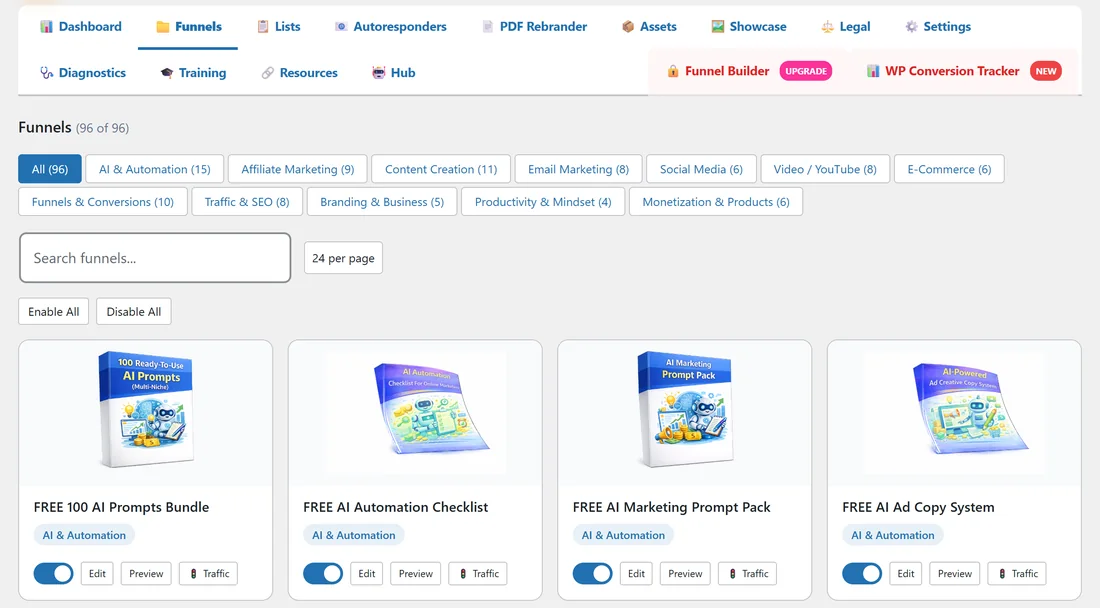
Open Free List Building in the WordPress sidebar and click the Funnels tab. All 96 funnels show as cards, with a filter row for each category.
What is inside every funnel:
Each funnel is a folder of files that the plugin serves as live pages on your site. Nothing is added to your WordPress Pages or Posts.
- Squeeze page (index.html): the opt-in page with the headline and the big button. The button opens a short form for the visitor's email address (and first name, if you switch that on in Settings).
- Download page (download.html): the thank-you page the visitor lands on after opting in, with the button that opens the PDF and your Recommended Resource.
- PDF report (download.pdf): the free lead magnet. The PDF Rebrander can add your own call-to-action page to it.
- Cover image (box.png): the 3D cover used on the Funnels tab, the Traffic Toolkit and your Showcase page.
- Legal pages (privacy.html, terms.html, disclaimer.html): linked in the footer of each page. You can replace them for every funnel at once on the Legal tab.
- Share image (share.jpg): a designed 1200 by 630 card that Facebook, X, LinkedIn and WhatsApp show when someone shares the funnel link.
The squeeze page:
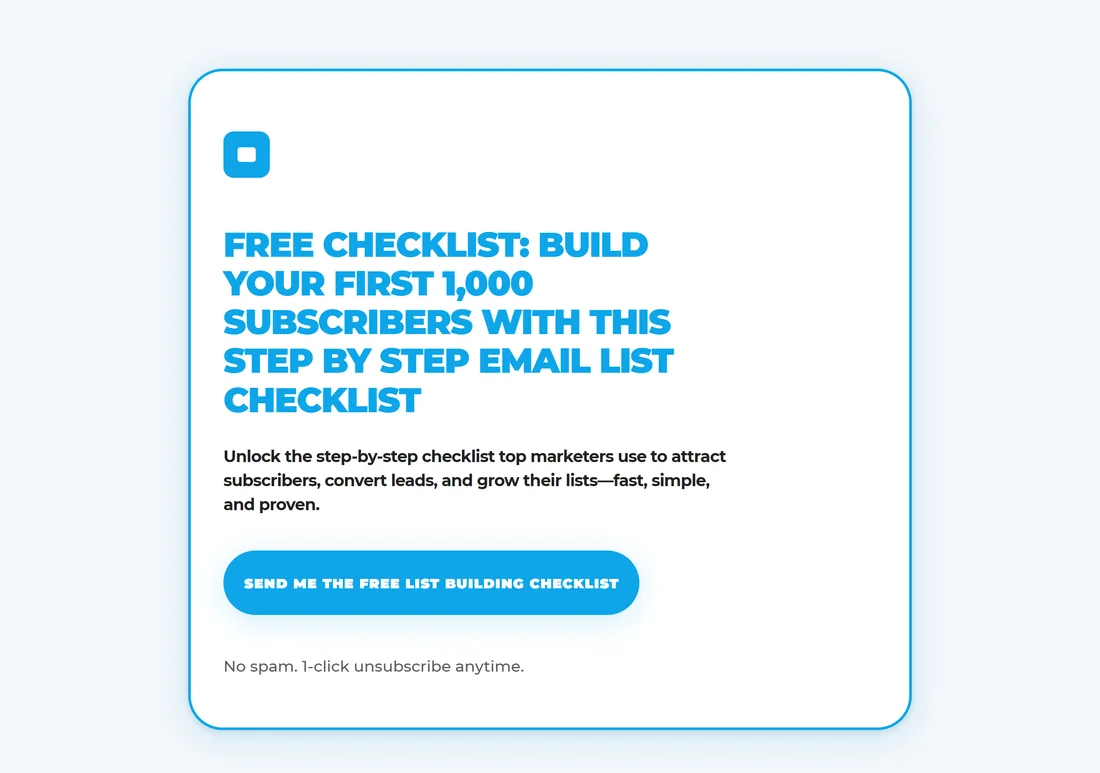
This is the page you promote. When a visitor clicks the main button, a small opt-in box opens. After they send the form, they are taken straight to the download page.
The download page:
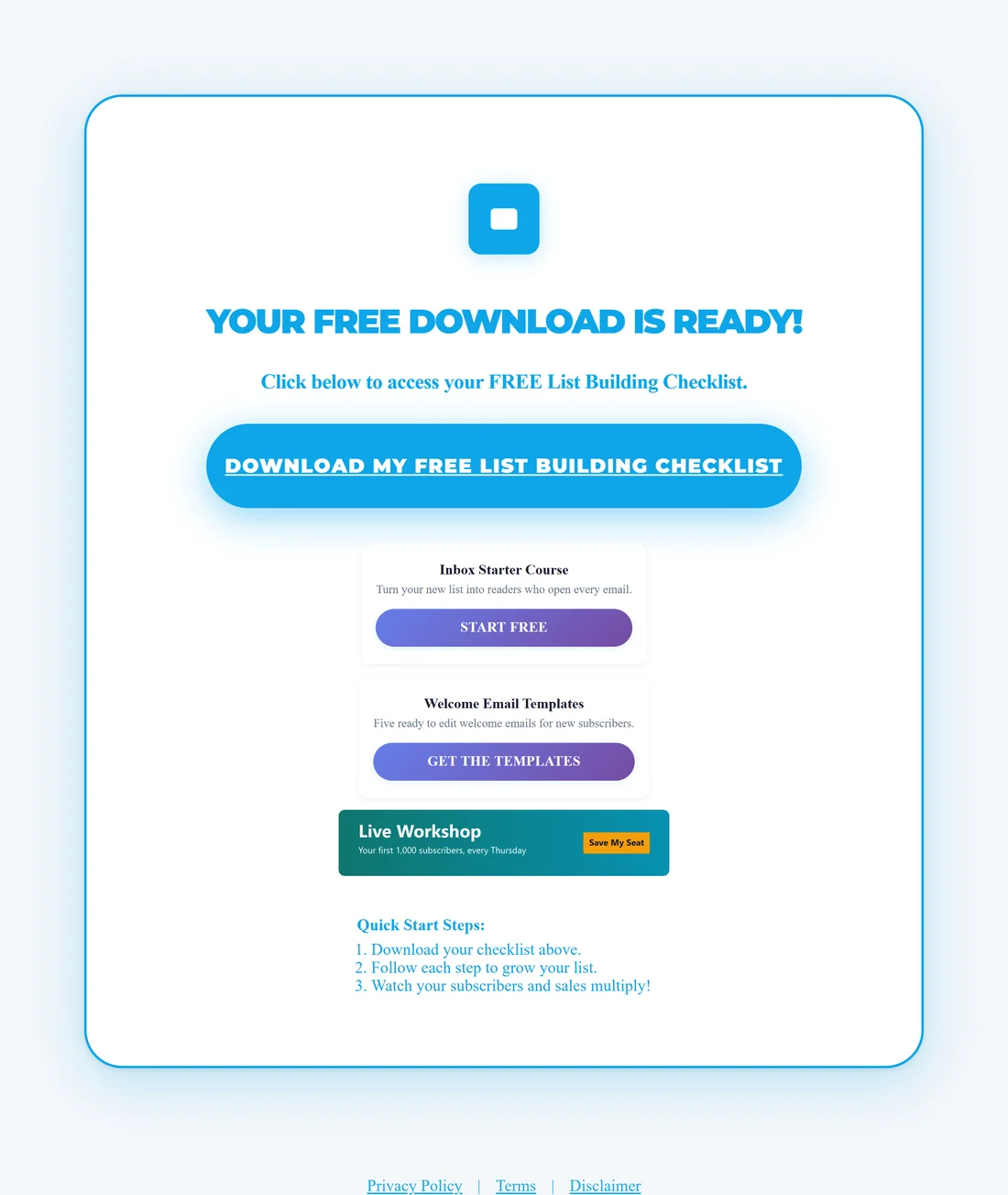
This page thanks the visitor, gives them the PDF and shows your Recommended Resource, or the resource cards and banners you set in Settings.
The 12 categories:
- AI & Automation (15 funnels)
- Affiliate Marketing (9)
- Content Creation (11)
- Email Marketing (8)
- Social Media (6)
- Video / YouTube (8)
- E-Commerce (6)
- Funnels & Conversions (10)
- Traffic & SEO (8)
- Branding & Business (5)
- Productivity & Mindset (4)
- Monetization & Products (6)
Every funnel starts switched on once its files are installed. Switch off any you do not want on the Funnels tab.
A real example:
Sam Rivera runs Your Site at yoursite.com and writes for new online marketers. Sam keeps 82 funnels switched on and turns off the Video / YouTube and E-Commerce categories, because those topics do not fit the blog. The most popular funnel is FREE Email List Building Checklist at yoursite.com/free/EmailListBuildingChecklist/, which has had 840 page views and 333 opt-ins in six weeks.
Tips:
- Start with five to ten funnels that match what your audience already reads, then add more as you see what works.
- Open any funnel's Traffic button to get ready-made posts and emails for it (see The Traffic Toolkit).
- If a card shows No Assets instead of a cover, the funnel files are not on your server yet. See Downloading Funnel Assets.
- Want your own funnels next to these 96? See Funnel Builder Add-on: What It Does.