If something on your site does not work the way you expect, the support team can help. A few minutes of preparation means they can usually answer in one reply instead of several.
Where to find it:
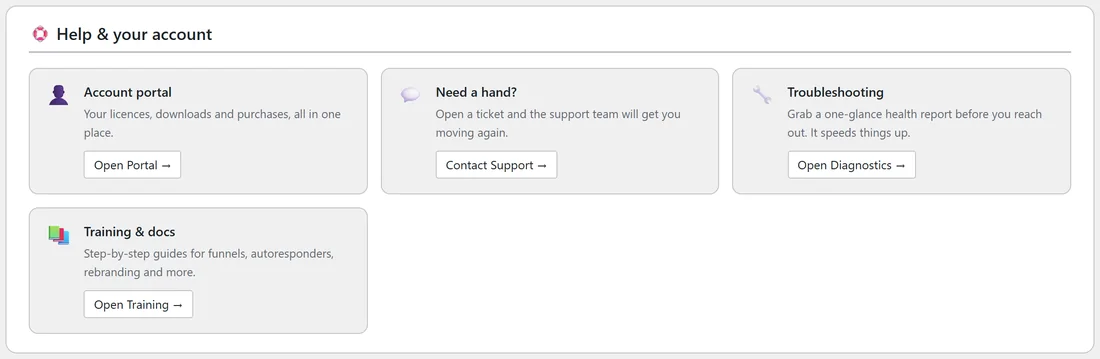
- Settings tab, Help & your account, Need a hand?: click Contact Support.
- The Support link in the small line at the bottom of every plugin screen.
- The support desk link in the first line of the Training tab.
All three open the support desk at kevinfahey.org/contact-support/.
Step by step:

- Click the Diagnostics tab, scroll to the bottom and click Copy Full Report To Clipboard. Paste it into a text file or straight into your ticket.
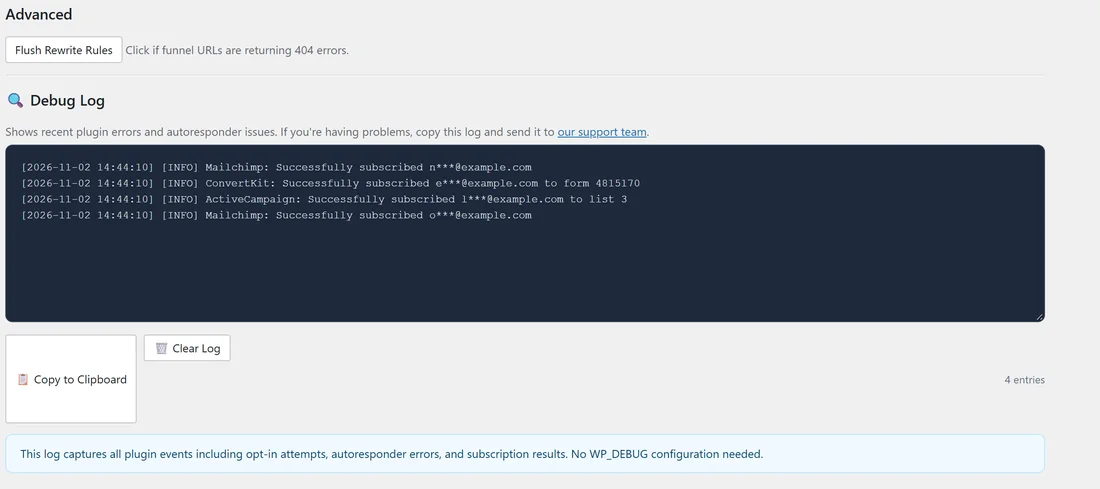
- Click the Settings tab, scroll to Debug Log and click 📋 Copy to Clipboard. Paste that too.
- Write down the address of the funnel page with the problem, for example yoursite.com/free/EmailListBuildingChecklist/.
- Note the steps: what you clicked, what you expected and what you saw. Copy any message word for word.
- Take a screenshot of the screen if it helps.
- Click Contact Support and open your ticket with all of the above.
What to include:
- The Diagnostics report. It holds your plugin version, licence status, PHP and WordPress versions, memory limits, permalinks, active plugins and table sizes, so nobody has to ask.
- The Debug Log lines from the time of the problem. Email addresses are masked and keys are hidden automatically, so it is safe to share.
- The funnel address and the autoresponder you use for it.
- What you have already tried.
A real example:
A subscriber told Sam they saw an error after entering their email on the checklist funnel. Sam copied the Diagnostics report, copied the Debug Log, which showed the reply from the autoresponder at that time, and opened a ticket with the funnel address and the exact message. Support could see the cause straight away from the log.
Tips:
- Before you write, look at the troubleshooting articles. Many questions are answered there, for example "Could Not Subscribe" Error and "404 Error on Funnel Pages".
- One problem per ticket keeps the answers clear.
- See The Diagnostics Tab and Built-in Debug Logger for what those screens show.