The Showcase page is built to help visitors find a guide fast and share it. Everything works on its own: you do not need to set up any of these features.
Where to see them:
Open the Showcase tab and click the Live URL, or visit your Showcase address, for example yoursite.com/free-resources/.
Funnel cards:
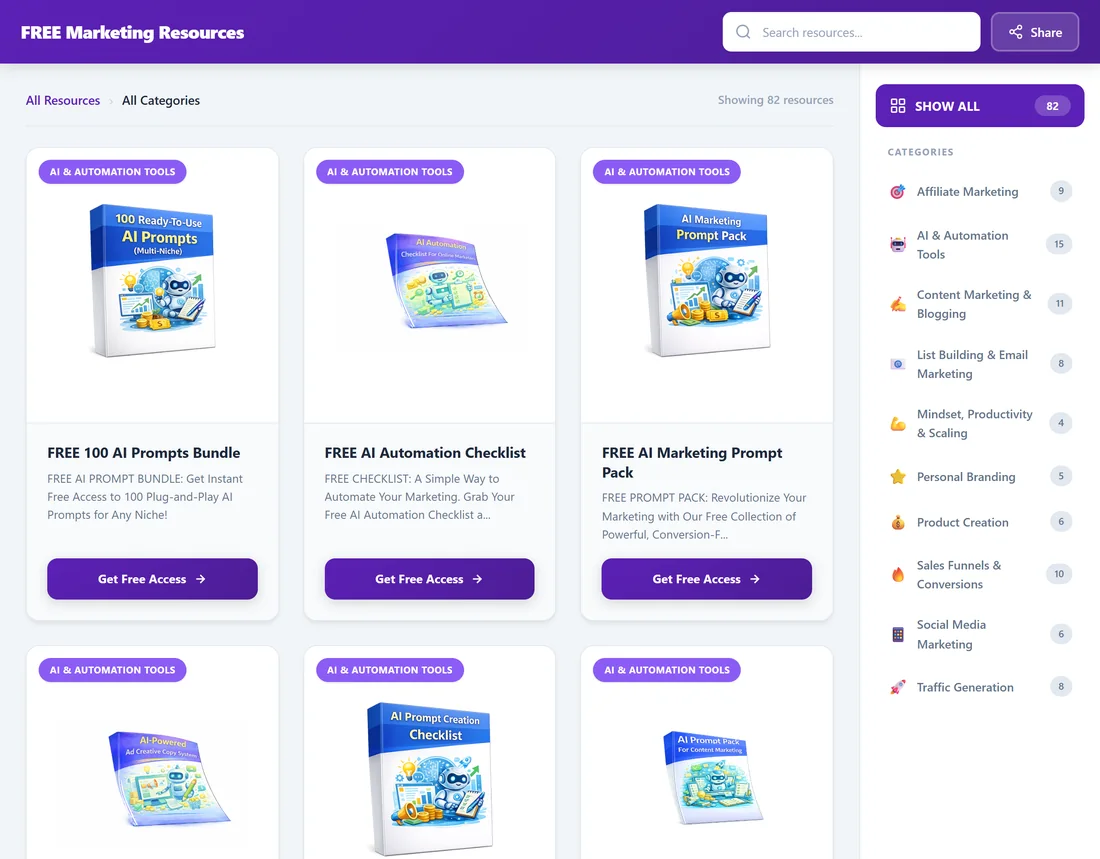
Each switched-on funnel is a card with its category badge, cover image, title, the first part of its headline and a button. The button text is Get Free Access unless you change it on the Showcase tab, and it opens the funnel's squeeze page.
The category list:
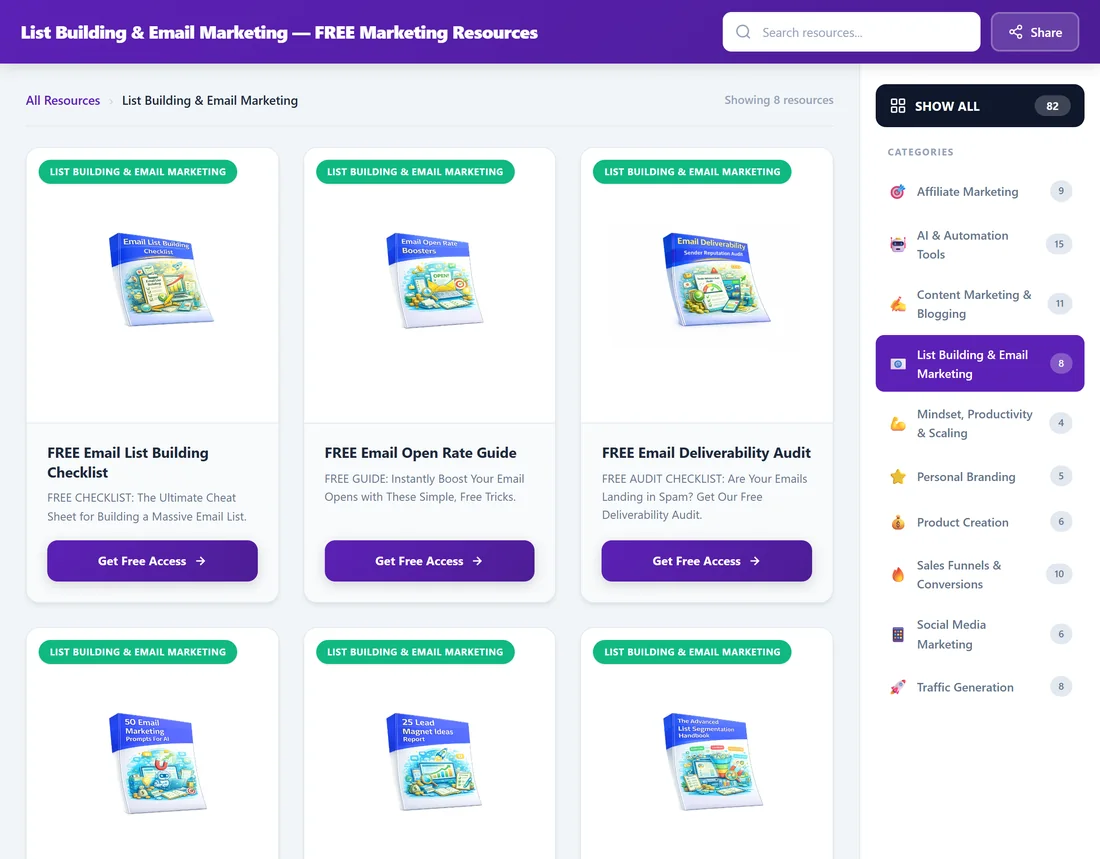
On the right is a SHOW ALL button with the total, then every category with an emoji and a count of its live funnels. Click a category to show only its cards. The Showcase uses friendly category names, for example List Building & Email Marketing, AI & Automation Tools and Traffic Generation.
Each category also has its own address, such as yoursite.com/free-resources/category/email/. The header then reads the category name before your page title, which makes a neat focused link to share.
Instant search:
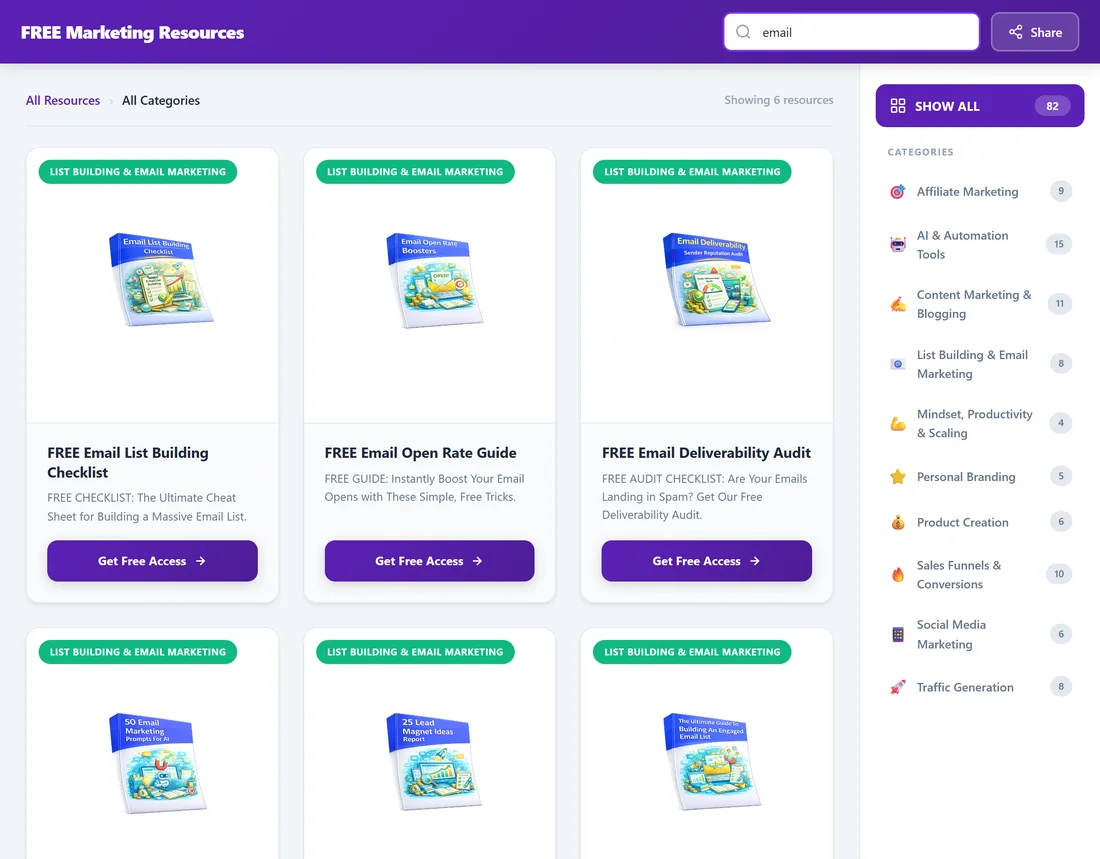
Type in Search resources... at the top and the cards filter as you type. The line under the header shows Showing followed by the number of matching resources.
The Share menu:
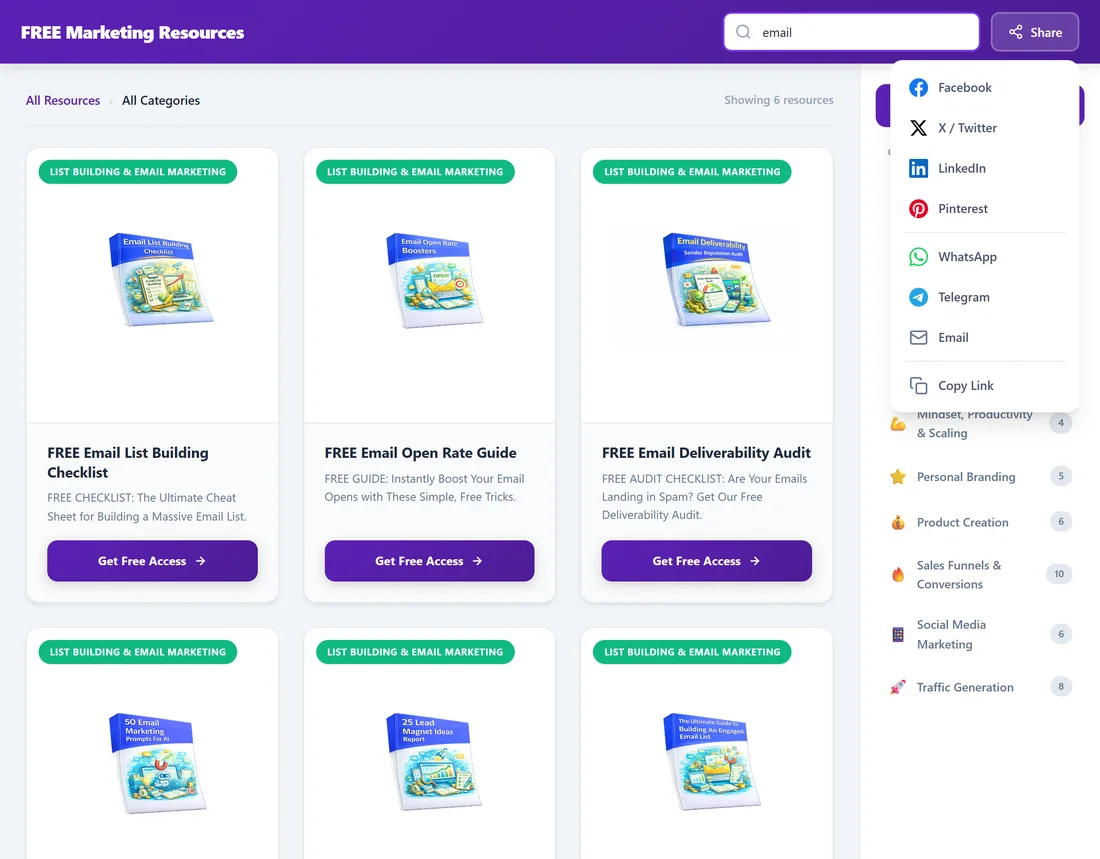
Click Share in the header to share the whole Showcase page by Facebook, X / Twitter, LinkedIn, Pinterest, WhatsApp, Telegram or Email, or click Copy Link. After copying, a small message says Link copied to clipboard!
On phones:
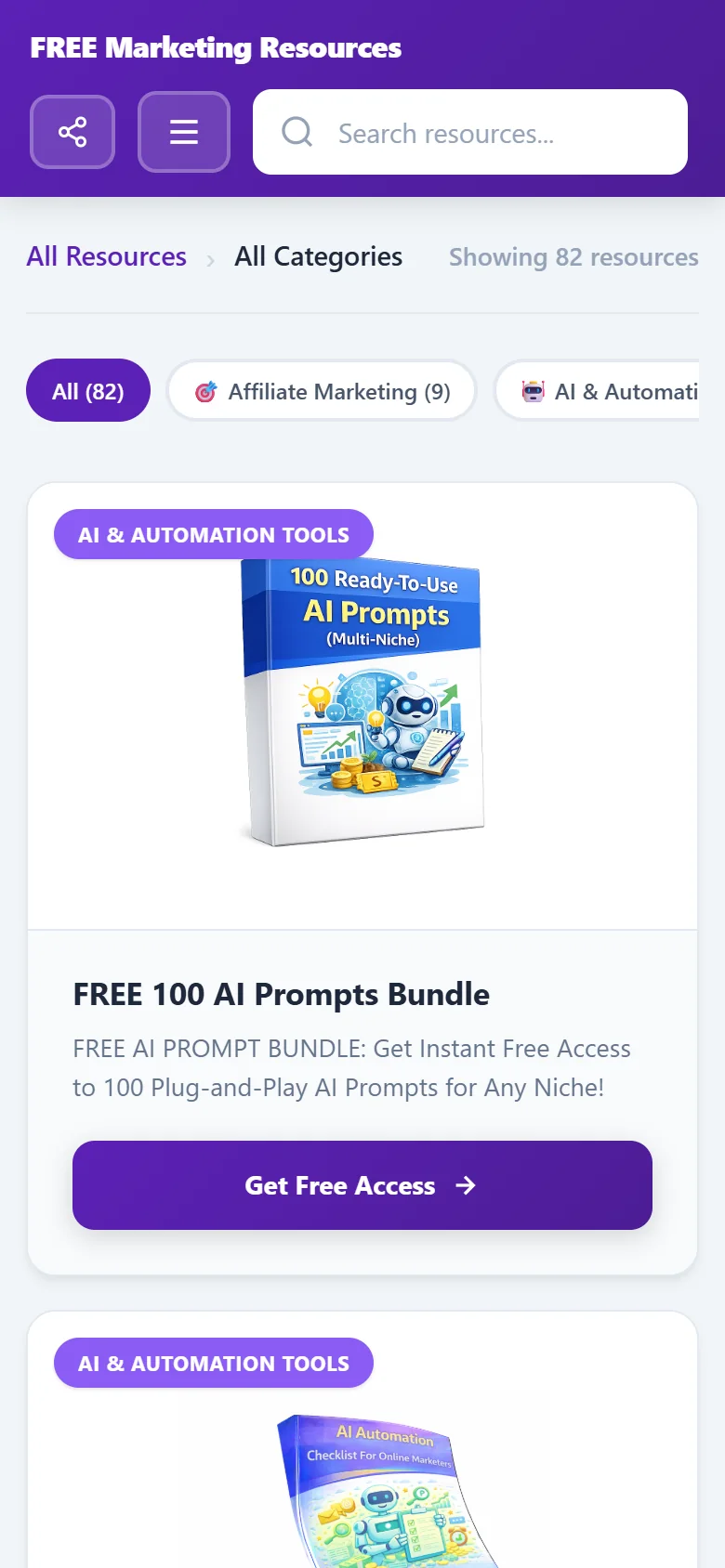
On small screens the category list becomes a row of category buttons under the search box, and a menu button opens the full list. The Share button becomes a round icon.
Also on the page:
- A Back to top button appears when the visitor scrolls down a long page.
- The footer shows your site name and links to Privacy Policy, Terms of Service, Disclaimer and Contact. The first three follow what you set on the Legal tab.
- The Contact page shows your WordPress admin email address.
A real example:
A visitor to yoursite.com/free-resources/ types email in the search box and sees six guides about email. They pick FREE Email List Building Checklist, click Get Free Access and land on its squeeze page. Before leaving, they click Share and send the Showcase page to a friend on WhatsApp.
Tips:
- Share a category address when you post in a group about one topic.
- Keep only the funnels your audience wants switched on, so search results stay focused.
- See Configuring the Showcase Page to change the title, address and button text.