The Partners tab has two tools that keep your partner data deep and tidy. The W+ Stats Scraper reads your live WarriorPlus stats straight from the WarriorPlus pages, with more detail than a CSV export. Partner Diagnostics finds partners with missing names or one person split across several records.
The W+ Stats Scraper:
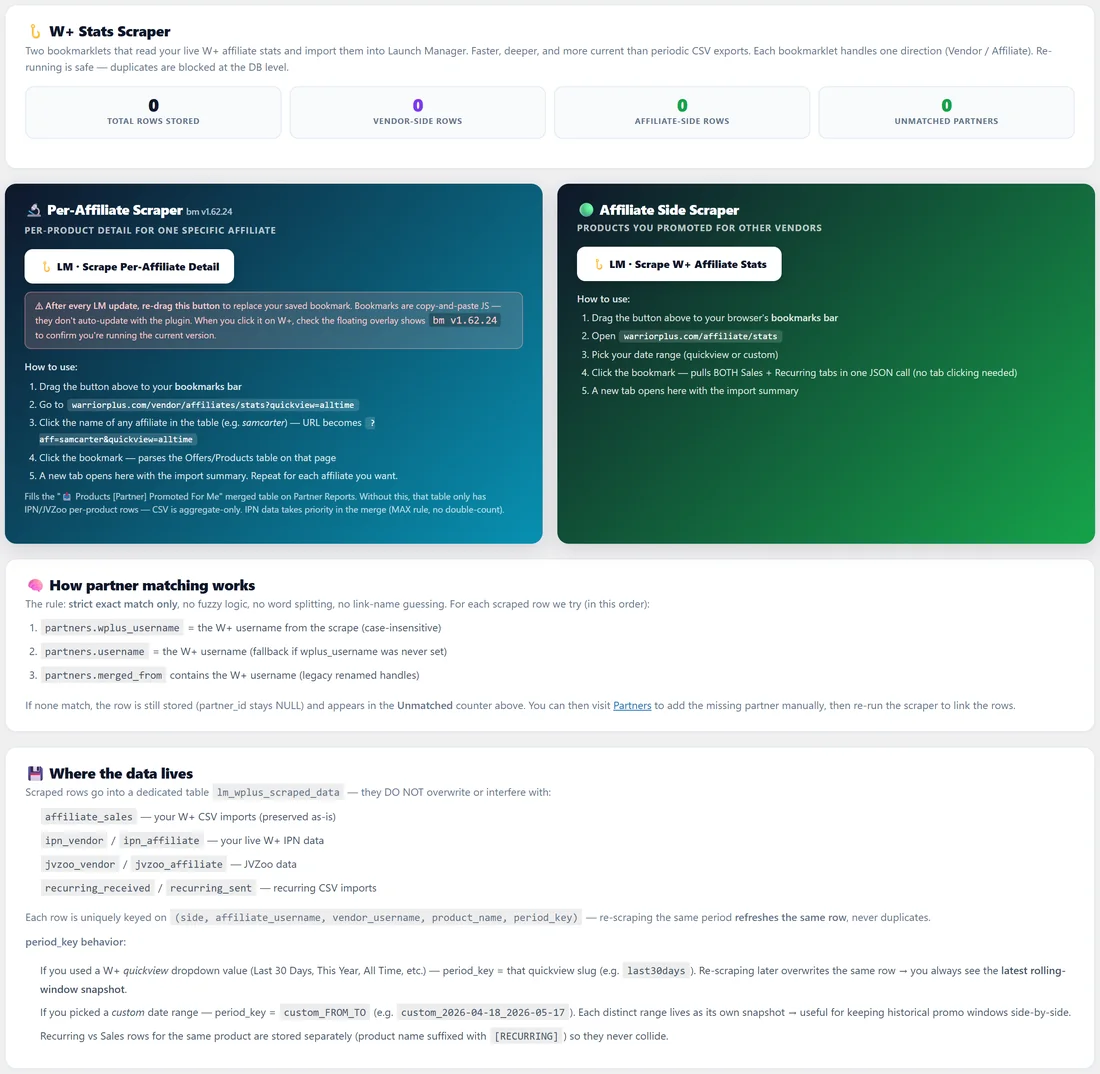
Open Partners, then W+ Stats Scraper. Counters at the top show the total rows stored, vendor-side rows, affiliate-side rows and unmatched partners. Running a scraper again is safe. Duplicate rows are blocked.
Per-Affiliate Scraper, vendor side:
This bookmarklet saves the product-by-product detail for one affiliate who promoted you.
- Drag the LM, Scrape Per-Affiliate Detail button to your bookmarks bar.
- On WarriorPlus, open your vendor affiliate stats with the All Time view.
- Click the name of an affiliate in the table, so the page shows their offers and products.
- Click the bookmark. A new tab opens in Launch Manager with the import summary.
- Repeat for each affiliate you want.
This fills the products-promoted-for-me table on that partner's page with per-product rows, which a CSV cannot give.
Affiliate Side Scraper:
This bookmarklet saves the products you promoted for other vendors.
- Drag the LM, Scrape W+ Affiliate Stats button to your bookmarks bar.
- On WarriorPlus, open your affiliate stats.
- Pick the date range.
- Click the bookmark. It reads both the Sales and Recurring tabs in one go, and a new tab opens with the summary.
How matching works:
Each scraped row is matched to a partner by exact username only: first the partner's W+ username, then their username, then a username in their merged history. Nothing is guessed. A row with no match is still saved and counted as unmatched. Add or merge the partner, run the scraper again, and the rows link up.
Where the data lives:
Scraped rows are stored in their own table. They never overwrite your CSV imports or IPN data. On partner pages Launch Manager takes the best figure per product across sources, so nothing is counted twice.
After a plugin update:
Bookmarklets are saved copies. After each update, drag the buttons to your bar again, then check that the overlay on WarriorPlus shows the version number printed under the button.
Partner Diagnostics:
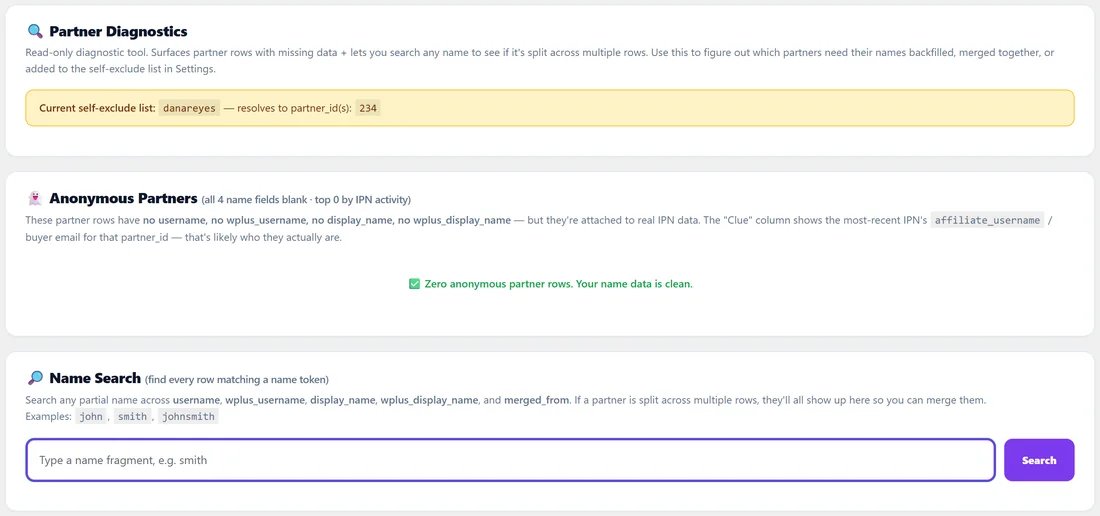
Open Partners, then Diagnostics. This is a read-only tool. It changes nothing.
- The top box shows your self-exclude list from Settings and which partner records it matches.
- Anonymous Partners lists partner records with no username and no name that still have real sales attached, with a clue from their latest IPN about who they are.
- Name Search finds every record matching part of a name, across username, W+ username, display name, W+ display name and merged history. If one person shows up on several rows, merge them.
A real example:
Dana runs the Per-Affiliate Scraper on Marcus Bellweather's row in her WarriorPlus stats. His page now lists each ListPilot AI and Inbox Magnet product he sold for her, not just one total. In Partner Diagnostics she searches marcus and finds a second record, so she merges it into his main one.
Tips:
- Use the W+ Stats Scraper for your top partners. Their pages become much more detailed.
- Check Partner Diagnostics after a big import.
- Add your own usernames to the self-exclude list in Settings so you never appear as your own partner. See Settings.