Analytics groups your partners by what they do for you, so you can act on each group. Switch between all platforms, WarriorPlus or JVZoo, and every list follows.
Where to find it:
Open the Partners tab and click Analytics.
The platform switch and totals:
All, W+ and JVZoo at the top filter the page. The cards show Partners, Active, Sales Received, Revenue Received, Sales Sent and Revenue Sent.
The groups:
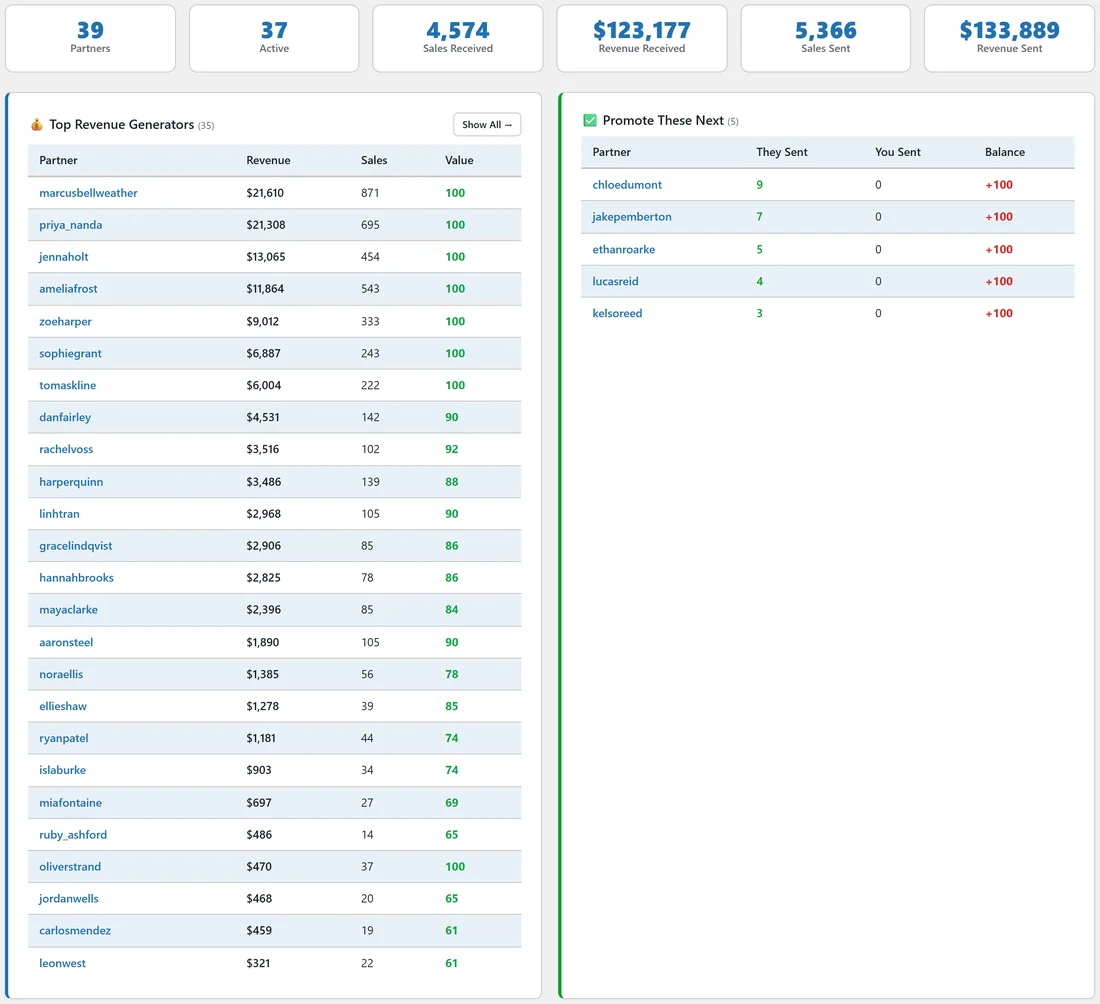
- 💰 Top Revenue Generators: partners who sent you revenue, highest first, with revenue, sales and Value.
- ✅ Promote These Next: partners who send you clearly more than you send them, with at least 3 sales. Promote their next launch.
- ⚠️ Consider Reducing: partners you send clearly more than they send you, with at least 3 sales from you. Ask them to support your next launch before you mail for them again.
- 🤝 Best Reciprocal Partners: partners with at least 3 sales in each direction, ranked by total sales both ways, with their Balance.
- ⭐ High Value Affiliates: partners with a conversion rate of 15% or more and at least 10 sales.
- 👀 Traffic Only (Free Promoters): partners with 50 or more hops and 2 sales or fewer, often people promoting a free offer.
Each group has a Show All link where the list is long.
Reading the scores:
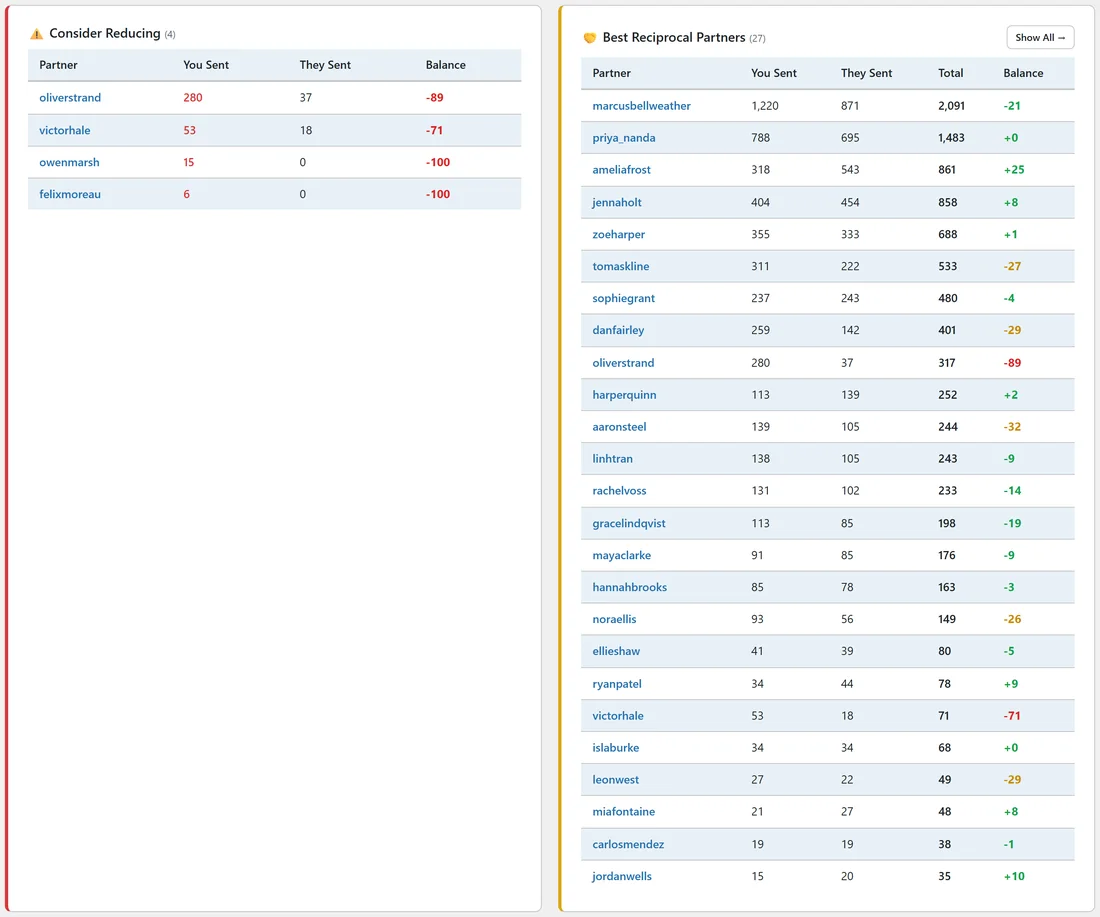
Value runs from 0 to 100, based on revenue and badges. Balance runs from minus 100 to plus 100: plus means they send you more, minus means you send them more. Within 25 either way is balanced, 25 to 50 is a slight lean, and over 50 is a strong lean.
A real example:
Dana opens Analytics on All. Promote These Next lists Chloe Dumont and Jake Pemberton, who sent her sales she has never returned, so she adds their next launches to her calendar. Consider Reducing lists Oliver Strand, who she has sent many Funnel Sprint sales. She asks him to mail for Inbox Magnet Pro.
Tips:
- Check Analytics after each launch. The groups change as new sales come in.
- Click any partner to open their profile and act.
- The Dashboard has the same totals with charts. See Dashboard.