The AI Brain page has five sections across the top: Smart Brief, Forecast, Partner Outreach, Sales Intelligence and Chat. Partner Outreach is covered in the AI Brain topic. The other four give you the bigger picture.
Smart Brief, Forecast and Sales Intelligence are built from your own numbers and need no AI key. Chat uses your own AI key.
Where to find it:
Open the AI Brain tab and click a section, or hover AI Brain and pick one.
Smart Brief:
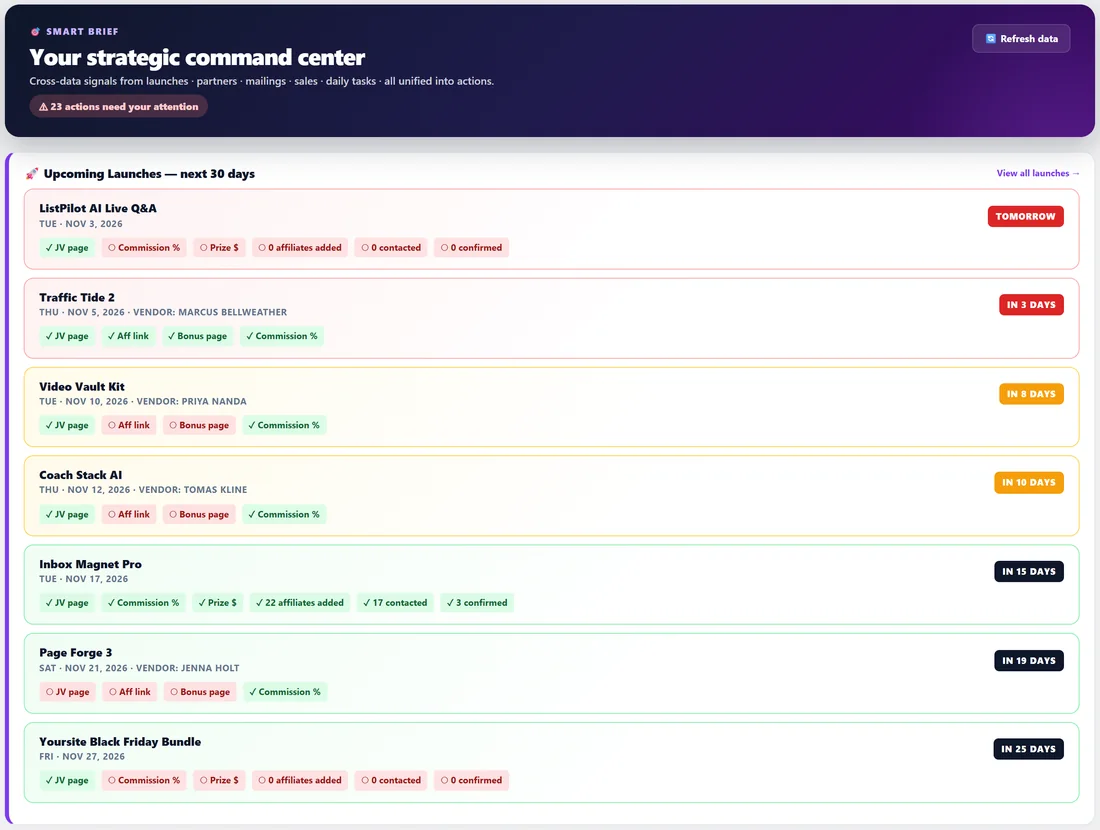
Your strategic command center. It pulls signals from launches, partners, mailings, sales and daily tasks into one screen, with a count of the actions that need your attention and a Refresh data button.
- 🚀 Upcoming Launches, next 30 days: each launch with how soon it is, and a checklist of what is in place, such as JV page, affiliate link, bonus page, commission, prize, affiliates added, contacted and confirmed.
- 💔 Reciprocity Debt: partners who sent you sales in the last 90 days that you have not promoted for, with their sales, revenue and quick contact icons.
- 👻 Going Dark: top lifetime partners with no sale in 60 days or more.
- 🔥 Hot This Week: your most active partners in the last 7 days.
- 📨 Mailing Pipeline: mailings for today and tomorrow, with their status.
- 📅 Today's Focus: your MIT and MPA streaks, open items, and today's MITs and MPAs.
- 📊 Momentum: this week against last week, with the pace for the full week.
Forecast:
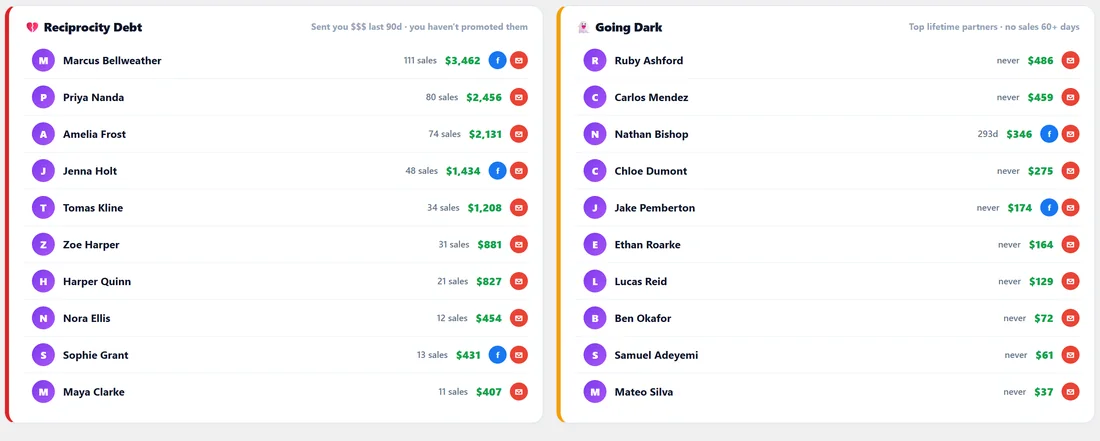
Shows where your income is heading, using simple linear pacing from your sales so far.
- This Month, This Quarter and This Year projections, each with a range (plus or minus 15% for month and quarter, plus or minus 8% for the year) and progress so far.
- Historical Benchmarks, last 24 months: your best month, average month and quietest month, with a bar for each month.
- Year-over-Year: the same period this year against last year.
- Active Launch Pipeline: how many launches you have in the next 90 days, with a short strategic note.
Sales Intelligence:
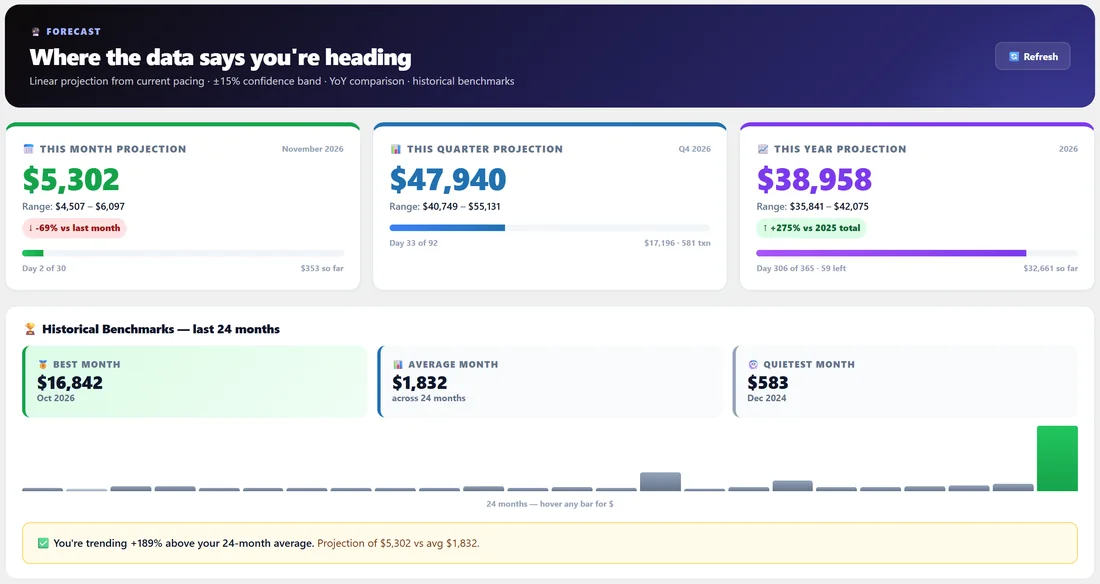
Everything your sales data knows about when and from whom you make money, across W+ vendor and affiliate sales, JVZoo vendor and affiliate sales and CSV imports.
- Totals: all-time revenue, transactions, active days and average per active day.
- Best Year, Best Month, Best Week and Best Day.
- Top Years, Top 10 Months, Top 10 Weeks and Top 10 Days.
- By Day of Week and Top 10 Hours of Day, so you know when your sales happen.
- Top products and top partners, plus charts by year, month and day of the month.
A printable version is available from the Reports tab. See Reports & PDF Exports.
Chat:
Ask questions about your launches, partners, reciprocity and sales in plain English, such as Which partners promoted me that I never reciprocated? Answers come from read-only lookups of your own Launch Manager data on your site. Click one of the example questions to try it.
Setting up Chat:
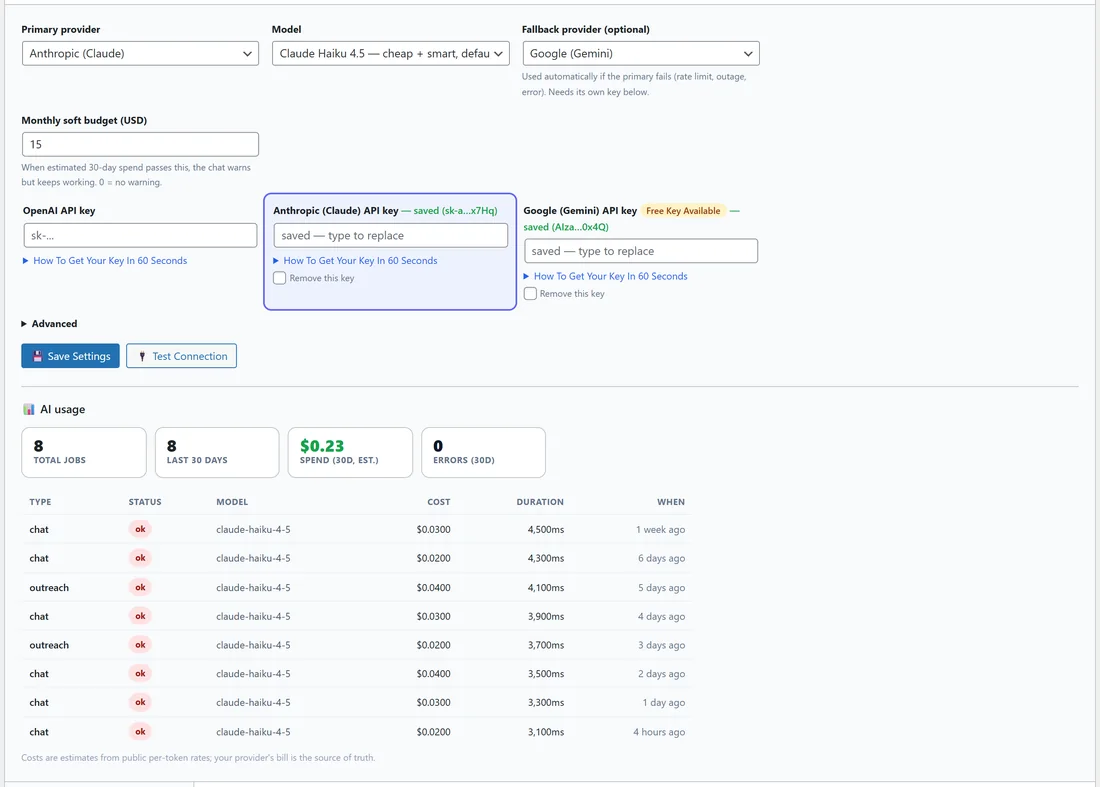
Chat needs your own AI key from OpenAI, Anthropic (Claude) or Google (Gemini). You pay your provider directly.
- Open Chat and click ⚙️ AI Settings.
- Choose the Primary provider and the Model.
- Optionally choose a Fallback provider, used automatically if the primary fails. It needs its own key.
- Set a Monthly soft budget in US dollars. When the estimated 30-day spend passes it, Chat warns you but keeps working. 0 means no warning.
- Paste your key for each provider you use. How To Get Your Key In 60 Seconds shows the steps for each one.
- Click 💾 Save Settings, then 🔌 Test Connection.
Under Advanced you can send AI requests through your own gateway or proxy by entering a custom API address for each provider. Leave it empty to connect directly. AI usage shows each request with its model, tokens, estimated cost and time.
In Chat, + New Chat starts a fresh conversation, your past chats are listed on the left, and Delete ALL history clears them.
A real example:
On Monday Dana opens Smart Brief. Video Vault Kit is in 8 days with no affiliate link or bonus page yet, so she fixes both. Going Dark shows Mia Fontaine and Carlos Mendez, and she sends each a quick hello. In Chat she asks What hour of the day do I make the most sales? and plans her Inbox Magnet Pro emails for that time.
Tips:
- Smart Brief is a good Monday morning page. Today is a good every-morning page.
- Forecast projections are simple pacing. They are most useful compared month by month.
- Keep your Chat questions specific, for example naming a launch or a time period.