Every Monday morning Optimize can email you last week in one place: visitors, Buy clicks, sales and revenue against the week before, any winners, every running test and your best pages. With AI connected, it opens with a short read of the week.
Where to find it:
AiX Optimize, Settings, Weekly report.
Setting it up:
- Tick Send me the weekly report. It is on by default.
- In Send it to, leave the box empty to use the site's admin email, or type one or more addresses separated by commas.
- Press Save in that section.
- Press Send me this week's report now to see one straight away. It covers the last 7 days up to today and goes to you only. The line beside the button says where it was sent.
When it arrives:
The report goes out on Monday from 7am site time, once a week, and covers last week, Monday to Sunday. A week with no visits, no running tests and no winners sends no email.
What is in it:
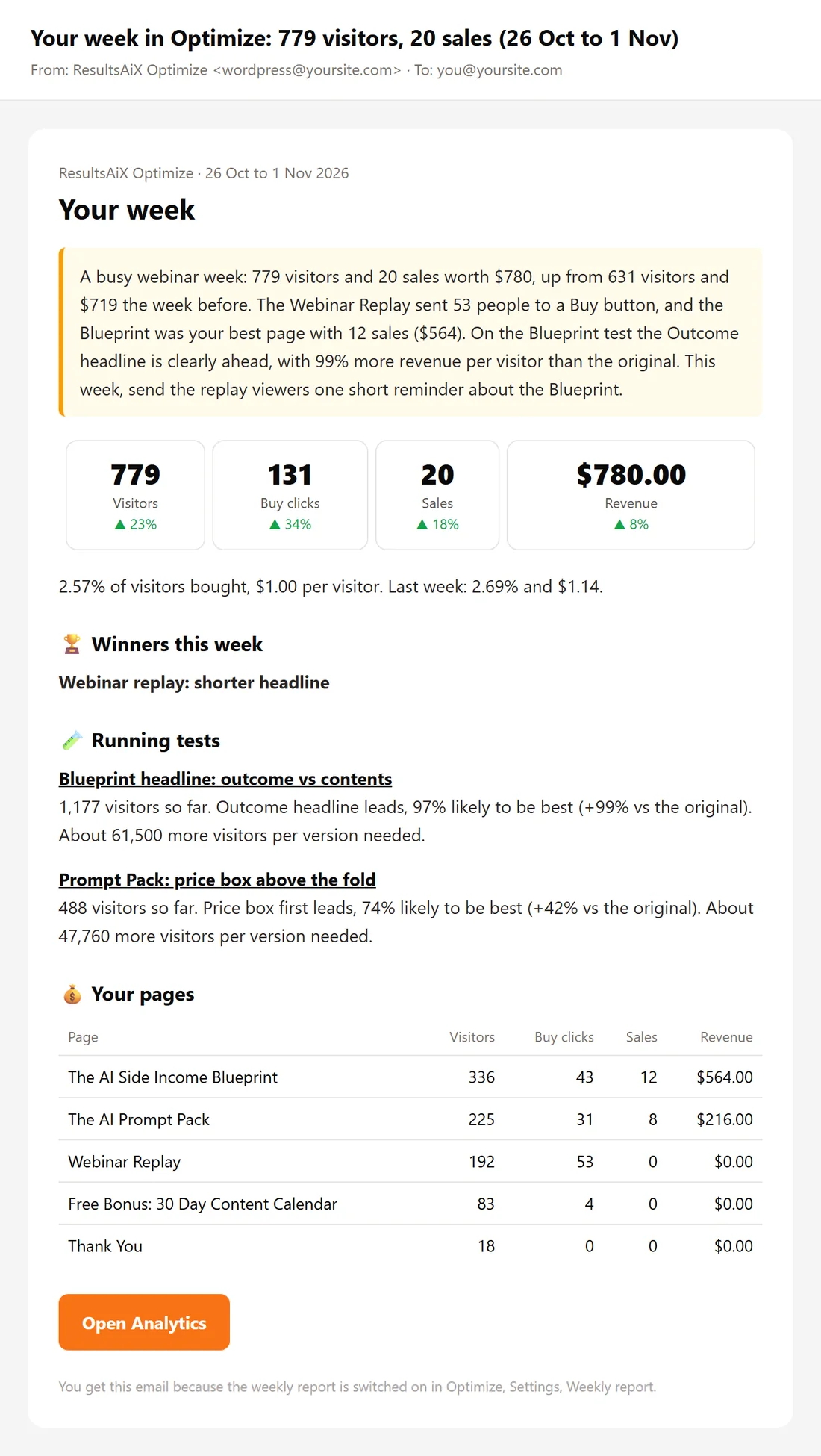
- The subject: Your week in Optimize, with the visitors, the sales and the dates.
- A short read of the week by the AI, when an AI key is connected and the week had at least 20 page views.
- Visitors, Buy clicks, Sales and Revenue, each with an arrow against the week before.
- The share of visitors who bought and the revenue per visitor, this week and last.
- Winners this week: each test that ended with a winner, with the reason.
- Running tests: each test with its visitors, the version in the lead, how likely it is to be best, its lift on the original, and whether it is ready to call or how many more visitors it needs.
- Your pages: your five best pages, with visitors, Buy clicks, sales and revenue.
- An Open Analytics button.
How it is sent:
When the ResultsAiX Mailer is installed, the report goes out through the Mailer's sending connection. Otherwise WordPress sends it, through your SMTP plugin or your host. If a send does not go through, Optimize tries again the next hour.
A real example:
The owner of Side Income Lab reads Your week in Optimize over Monday coffee. The AI's note sums up the week and names the Blueprint headline test as the one to watch. Running tests shows the Outcome headline in the lead, and Your pages has the Blueprint page on top. She presses Open Analytics and plans the next test.
Tips:
- Add a colleague's address to Send it to, separated by a comma.
- Connect an AI key for the short read at the top. Without one, you still get every number.
- Press Send me this week's report now after changing the address, to see it arrive.