PRO is not a separate plugin. Everything is already inside the ResultsAiX Search & Member Activity plugin you installed, and a PRO licence key switches it on. There is only ever one download and one key.
How to switch on PRO:
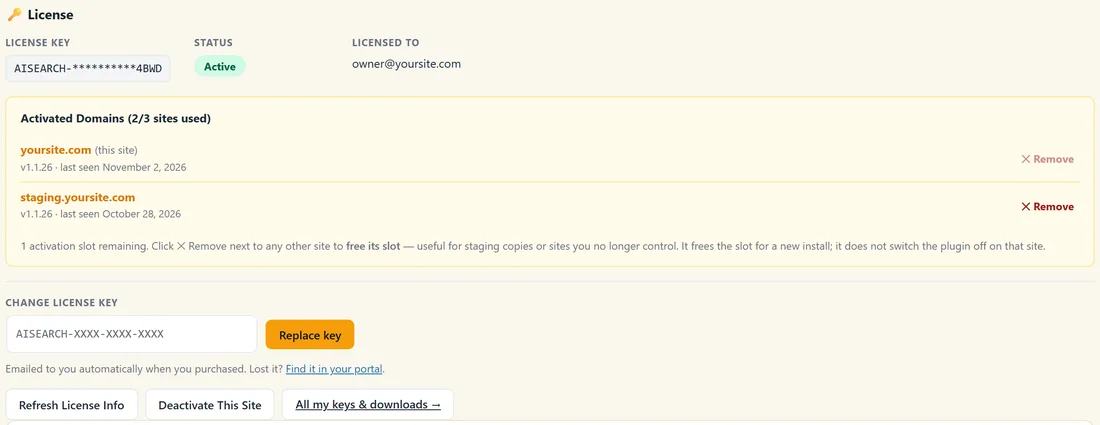
- Open AiX Search, then Settings.
- In the licence panel at the top, type your PRO key into the Change license key box and click Replace key. If no key is active yet, the box is called Activate your license key and the button is Activate.
- The PRO tabs appear straight away.
If you bought PRO from the start, simply enter that key when you first install the plugin.
New tabs once PRO is on:
- Member Activity: which pages your signed in members read, and the lists you show them
- Insights PRO AI: click rates, trends, CSV export, the AI Analyst Report, Ask AI Anything and Member Reports
- AI Tools: the AI Listings Writer and AI Synonym Suggestions
- Builder: the Shortcode Builder
- Offers: search-triggered offer cards
- Leads: the people who asked to be told when you cover a search that found nothing
Inside Settings, the PRO Settings section opens up with every PRO option. The Get PRO tab disappears.
Features that switch on by themselves:
Some PRO features work as soon as PRO is on, with their default settings:
- Member Activity starts recording signed in members
- Typo tolerance rescues misspelled searches
- Filter chips appear on the full results page when results come from more than one type
- Search-triggered offers are ready as soon as you create one
The others, such as the AI Answer Box, lead capture, member-aware results, WooCommerce mode and the weekly digest, wait until you tick them in PRO Settings.
Everything you set up before keeps working exactly as before. PRO adds to it.
The first thing to do:
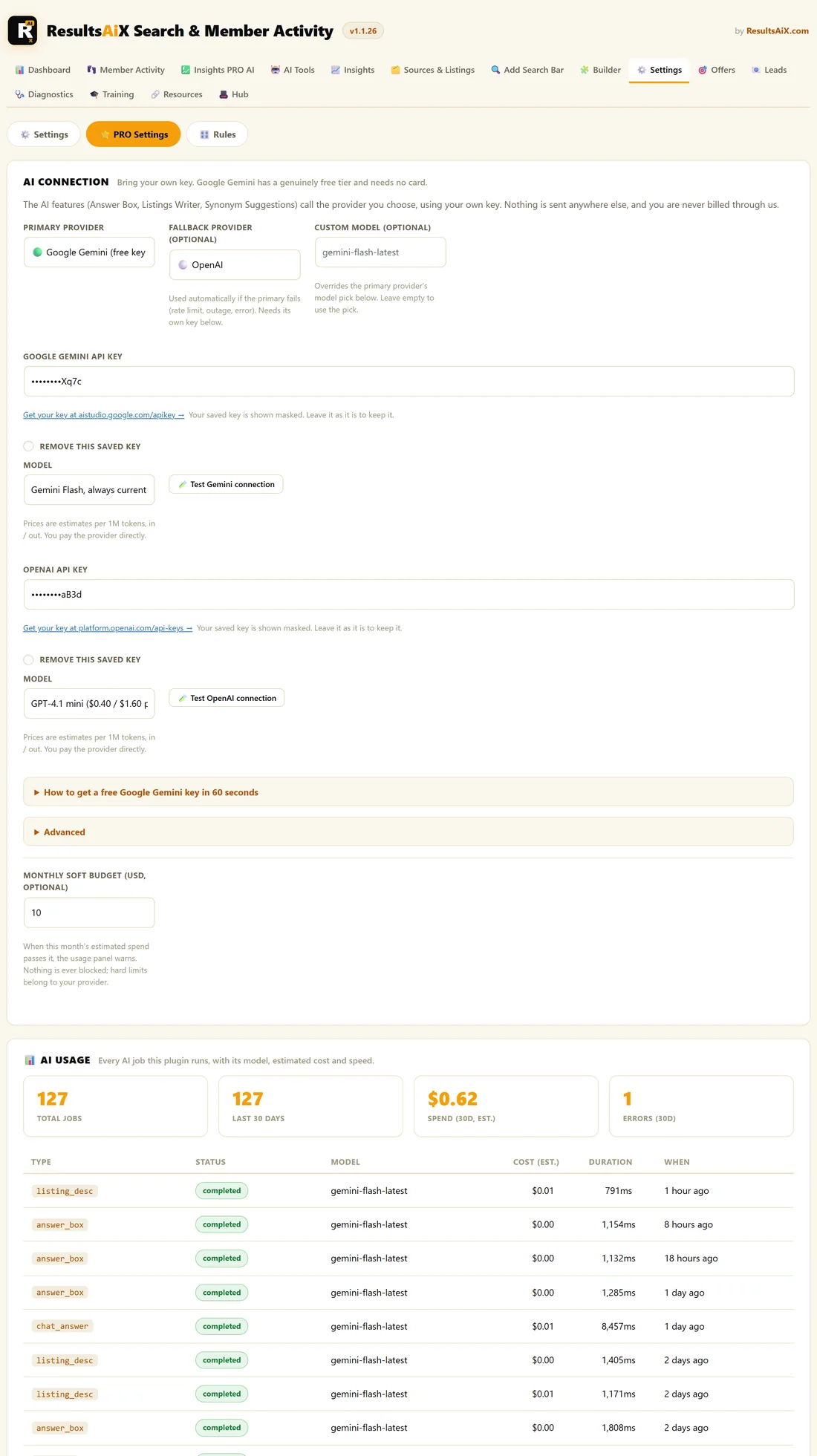
Open AiX Search, then Settings, click PRO Settings, and connect an AI key under AI Connection. Google Gemini has a free tier and takes about a minute. See Connecting Your AI Key.
Without a key, the AI features stay quiet: the Answer Box, the Listings Writer, Synonym Suggestions, the Analyst Report, Ask AI Anything and the AI read on member reports. Every data feature works with no key at all, including Member Activity, Member Reports, offers, lead capture, Insights PRO, typo tolerance, filters and member-aware results.
A good first week with PRO:
- Connect a Gemini key.
- Open Member Activity and set Never List These Pages.
- Put [results_ai_activity] on your members home page.
- Create one offer for your most searched topic.
- Switch on Zero-Result Lead Capture and the weekly digest.
A real example:
The Home Bakery Club replaced its Core key with a PRO key on a Monday. By Friday, Member Activity showed 38 members active that week, the Sourdough Masterclass offer had been seen hundreds of times, and the first leads had asked to hear about a pizza dough recipe.
Tips:
- See PRO Settings Reference for every option in one list.
- See Core And PRO In One Plugin for the full list of Core and PRO features.