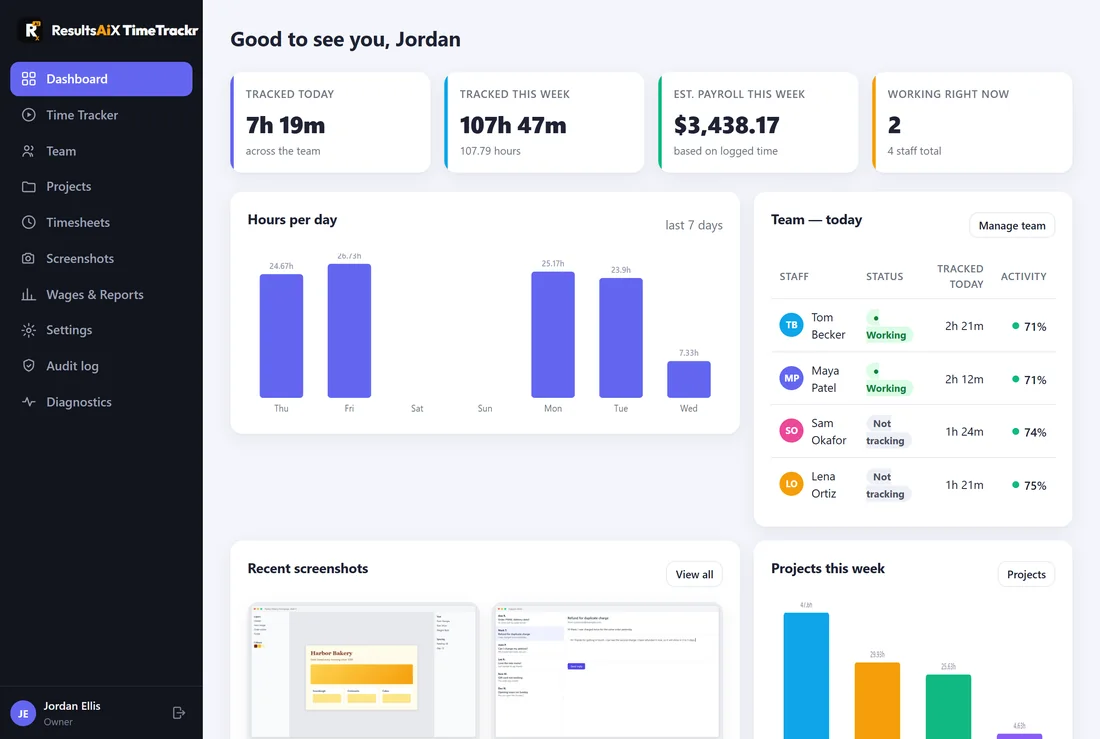
ResultsAiX TimeTrackr is staff time tracking that runs on your own server. Your team starts a timer when they begin work and stops it when they finish. While the timer runs, TimeTrackr takes a screenshot every few minutes, notes how active the person was, and works out what the time costs at each person's hourly rate.
Everything is stored on your server. The screenshots go straight from each person's computer to your own TimeTrackr, and nowhere else.
What you get:
- Hours against projects and tasks, for every person, every day.
- Automatic screenshots while someone is tracking, every 1, 3, 5, 10 or 15 minutes.
- An activity level on each screenshot, so you can see how busy the keyboard and mouse were.
- Wages and payroll for any period, with a spreadsheet export for your accountant.
- A dashboard that shows who is working right now and what the day has cost so far.
- Two-step sign-in for anyone who wants it, and an audit log of every sign-in and change.
- One-click updates that test the new version on a copy of your data before switching over.
Who sees what:
- Owners and admins see everything, add and edit people, and change settings.
- Managers see everyone's hours, screenshots and wages, and manage projects and timesheets.
- Staff see only their own timer, timesheet, screenshots and account.
How your team tracks time:
Each person signs in at your TimeTrackr web address and uses the Time Tracker page in their web browser. They pick a project, press Start tracking, and share their screen once so the screenshots can be taken. Nothing needs installing on their computer.
Where to go next:
If you are installing it yourself, start with Before You Install: What You Need. Installing is three steps: open your server's console, paste one line, and open the address it shows. If you bought done-for-you setup, see Done-For-You Setup: What Happens Next.