Every sale your ResultsAiX plugins record bursts on the globe where that buyer was last seen, and every new opt-in pulses as a lead. There is nothing to set up: if the plugin is on this site, Pulse is listening. Sales from somewhere else can arrive through a signed webhook.
Where they show:
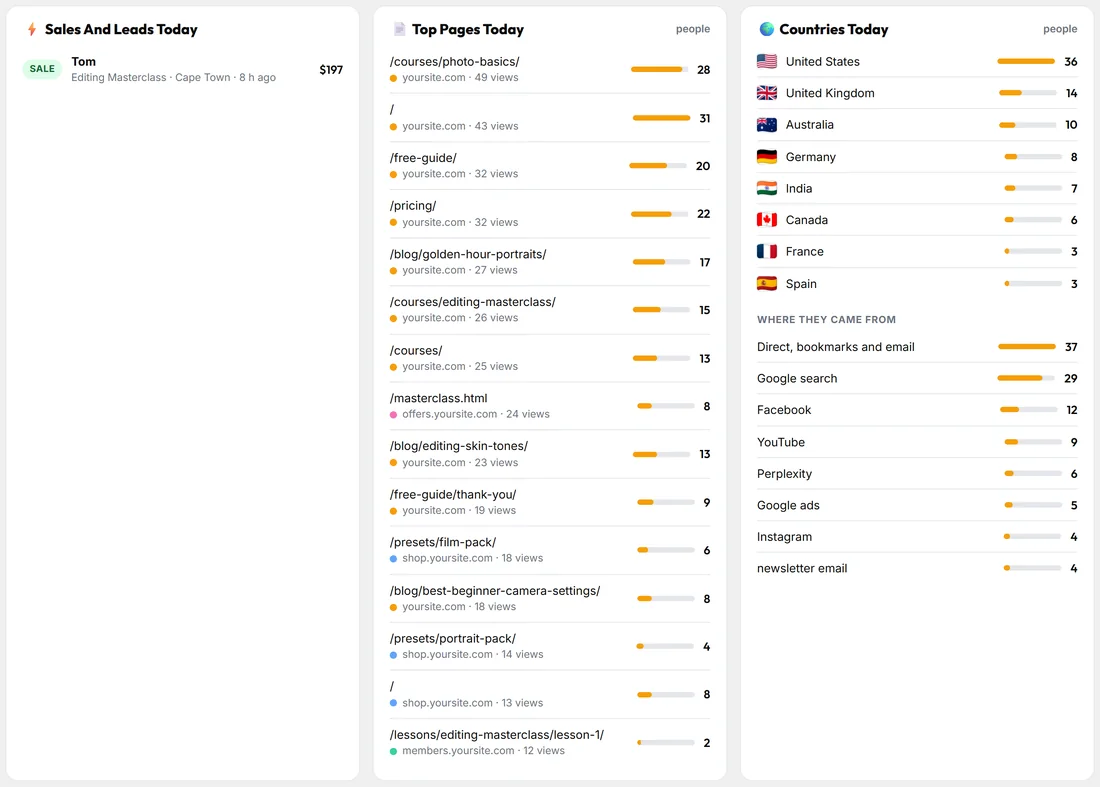
- On the globe and the map: a burst at the buyer's place, with the amount on your own screen.
- In the Live View: Sales and revenue today, and Sales And Leads Today under the table.
- On the Dashboard: New leads, Sales and Revenue, the Leads And Sales chart, and Latest Sales And Leads.
- On Stats: every sale with the first page and the channel that led to it.
- On the person's timeline: Bought, the product, the amount and how they paid, or Opted in with the form.
Which plugins feed it:
Open 🔌 Connections, The Family: Names, Value and Sales. Each family plugin on this site shows with a tick: Mailer, Audience Vault, Conversion Tracker, Commerce, Launch Manager, Funnels, Membership, Forms and Webinars, plus every other family plugin found here.
Where a sale is placed:
Pulse places a sale where the buyer was last seen on your sites. If it has never seen them, it uses the place the sale came from when the sale carries one. Otherwise the sale still counts in every total and list, just without a dot on the map.
Counted once:
- The same sale reported twice (for example by the Mailer and by a webhook) is counted once.
- A sale two of your systems both report, one with the product's code and one with its name, counts once under the product's name: the same person, the same amount, within ten minutes.
- A bulk job (an import, a list copy, a sync catching up) does not make new leads: leads with no visitor's browser behind them stop counting once more than 20 arrive in a minute.
- Whatever Pulse left out shows on 🩺 Diagnostics under Counted once. It is kept, not deleted, and Put Them Back counts it again.
Sales from somewhere else:
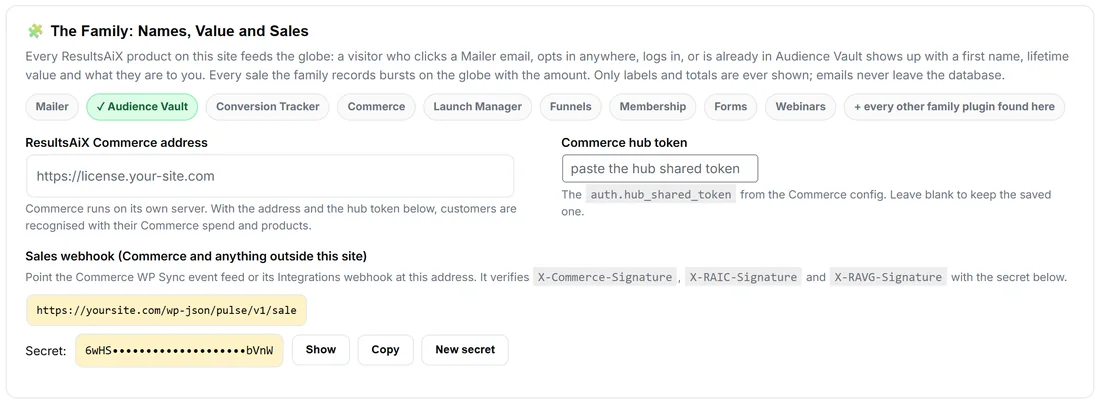
On the Family card, the Sales webhook gives you an address on your site. ResultsAiX Commerce on another server can post to it, and so can any other system.
- Press Generate secret. The secret then shows masked, with Show and Copy.
- Point the other system at the webhook address shown on the card.
- Send a JSON body with email, name, amount, currency, product, ref and source.
- Sign it: the header X-RAVG-Signature is the HMAC-SHA256 of the raw body with your secret. X-Commerce-Signature and X-RAIC-Signature are checked the same way.
- The same sale sent twice is counted once.
Press New secret any time to change it. The old one stops working at once, so update the other side too.
ResultsAiX Commerce:
Commerce runs on its own server. Under ResultsAiX Commerce address, type its address, and under Commerce hub token paste the hub shared token from the Commerce config. Customers are then recognised with their Commerce spend and products. Leave the token box blank to keep the saved one.
A real example:
Yoursite sells through the ResultsAiX Mailer's checkout and a partner's site. Mailer sales burst on the globe with no setup. For the partner's site, the owner generates a secret, gives the partner the webhook address and secret, and from then on those sales burst too: Jonas from Stockholm, Portrait Preset Pack, $47, shows under Latest Sales And Leads on the Dashboard.
Tips:
- Public views (the public live page and the globe shortcode) show sales only if you tick them under Settings, What The Public Sees. Amounts need their own tick.
- Developers can raise a sale from their own code. See For Developers.