Every call your assistant makes is logged, so you always know what it did and roughly what it cost. The log keeps the shape of each call: which provider and model, what it was for, how long it took, roughly how many tokens, and an estimated cost. No prompts and no replies are stored in it.
On the AI Assistant tab:
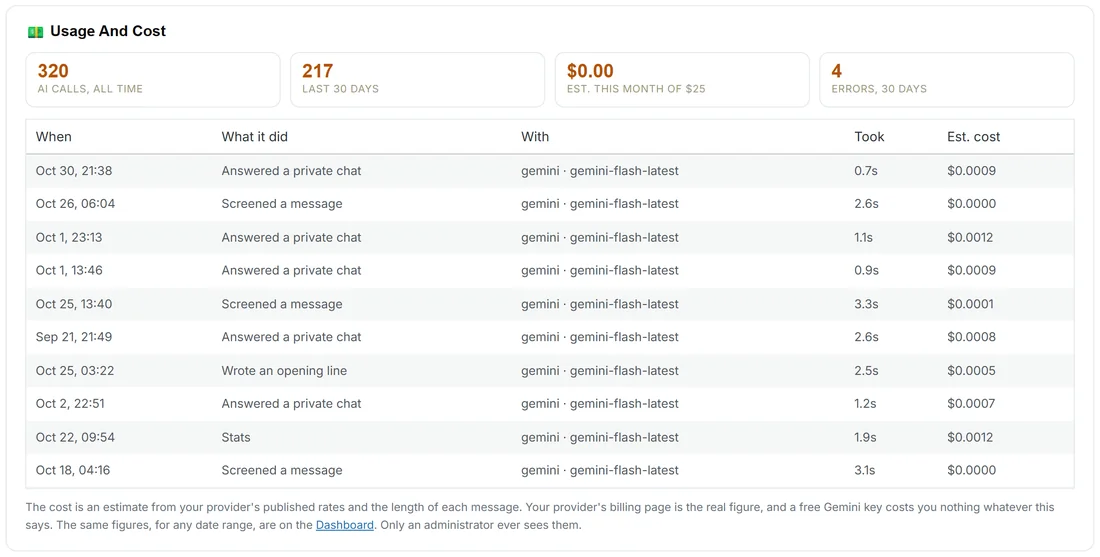
✨ AI Assistant, the card 💵 Usage And Cost at the bottom.
- AI calls, all time; last 30 days; est. this month of your budget; errors, 30 days.
- The last ten calls, newest first: When, What it did, With (the provider and model), Took (seconds), and Est. cost. A call that failed says failed, with the provider's message word for word.
What it did is one of: Answered a private chat, Screened a message, Wrote an opening line, Connection test, Writing or Stats (the Explain this period button on Stats). The tiles at the top of the tab repeat the main figures, and if the last call failed, a note says what happened and that it clears itself on the next success.
On the Dashboard:
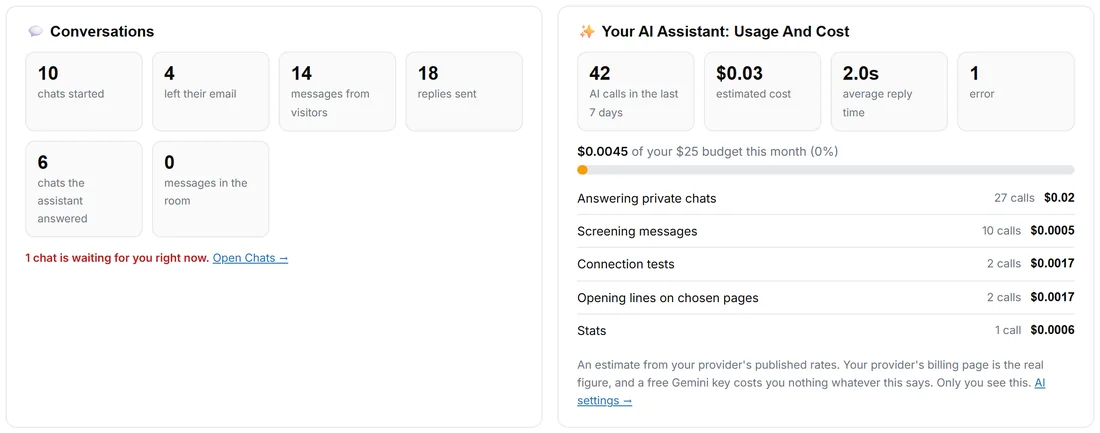
📊 Dashboard, the card ✨ Your AI Assistant: Usage And Cost. It follows the date range you picked:
- AI calls in the range, estimated cost, average reply time and errors.
- This month's spend against your monthly budget, as a bar.
- The split by job, each with its calls and cost: Answering private chats, Screening messages, Opening lines on chosen pages, Connection tests and Stats (the Explain this period button).
The monthly budget:
Set it on the AI Assistant tab under Set A Budget, in US dollars. 0 means no limit. When this month's estimate reaches the budget, the assistant rests until next month or until you raise it: it stops answering and screening, and chat carries on person to person. A real person's message is never blocked. The tab's status pill then says Paused: budget reached.
How the estimate works:
The cost is an estimate worked out from the provider's published rates and the length of each message, about four characters to a token. Your provider's own billing page is the real figure. A free Gemini key costs you nothing, whatever the estimate says, because the estimate does not know you are on the free tier.
A real example:
At the end of the month Sam opens the Dashboard and picks 30 days. The assistant made 210 calls: most were answering private chats and screening messages, a few were opening lines for Moments. The estimated cost is a few cents against a $25 budget, and on the AI Assistant tab the last ten calls show one failed call, "The provider was busy (HTTP 503)", followed by successes.
Tips:
- A run of failed calls with the same message usually means the key or the model. Press Test connection on the AI Assistant tab.
- Only an administrator of this site ever sees these figures. Visitors and customers never do.