Pulse is built to know your visitors well enough to help them, and no more. It keeps a scrambled fingerprint instead of an address, places people at city level, honours Do Not Track, waits for consent when a consent banner on your site is asking, and clears old visits by itself. All of it is set on one screen.
Where to find it:
⚙️ Settings, then click 🛡️ Privacy & Location to open it. Map And Google 3D and Data & Access are further down the same screen. Save Settings saves every section, open or closed.
Privacy & Location:
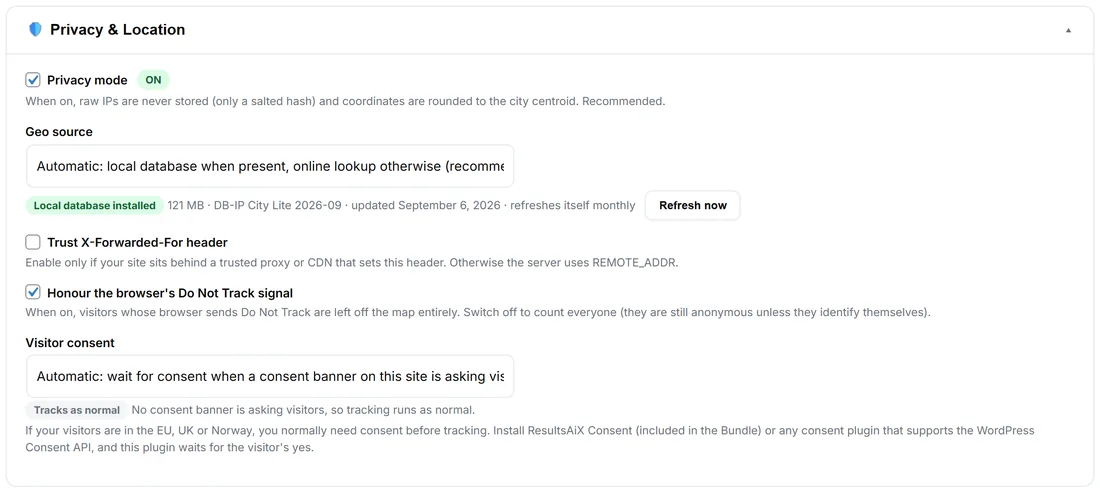
- Privacy mode (ON by default, recommended): raw IP addresses are never stored, only a salted hash made with a secret that exists on your site alone, and coordinates are rounded to the city centre. It is enough to tell two visitors apart and of no use for anything else.
- Geo source: how a visitor is placed on the map. Pick Automatic: local database when present, online lookup otherwise (recommended); Local database only (fully private, needs the database below); or Online lookup only, which asks an outside lookup service for each new visitor's place.
- The local database: Download The Free Geo Database installs DB-IP City Lite into your uploads folder in one click. It refreshes itself monthly, and the line shows its size, edition and date, with Refresh now. With it installed, no visitor's address is sent to any outside service. Accuracy is city level at best, which is all a globe needs.
- Trust X-Forwarded-For header: tick it only if your site sits behind a trusted proxy or CDN that sets this header (Cloudflare, for example). Otherwise Pulse uses the address the server sees.
- Honour the browser's Do Not Track signal (on by default): a browser that sends it is left off the map entirely. Switch it off to count everyone; they stay anonymous unless they identify themselves.
Visitor consent:
If your visitors are in the EU, UK or Norway, you normally need their consent before tracking them. Pulse handles this with Visitor consent:
- Automatic: wait for consent when a consent banner on this site is asking visitors (the default). With ResultsAiX Consent (included in the Bundle) or any consent plugin that supports the WordPress Consent API, Pulse waits for each visitor's yes. Until then it stores nothing in their browser and sends nothing about them. With no banner asking, Pulse works as normal.
- Off: always track.
The pill under it says which one is happening right now, for example Tracks as normal: No consent banner is asking visitors, so tracking runs as normal. A visitor who has not said yes can still open every page, fill in every form and use your Support Desk chat. They simply do not show on your globe or in your numbers until they agree.
Using a cookie banner:
Pulse keeps one first-party identifier in the visitor's browser (ravg_vid) so a returning visitor is one person, not two. It counts as analytics: ResultsAiX Consent already lists it, and with any other banner, list it in your cookie table.
The maps:
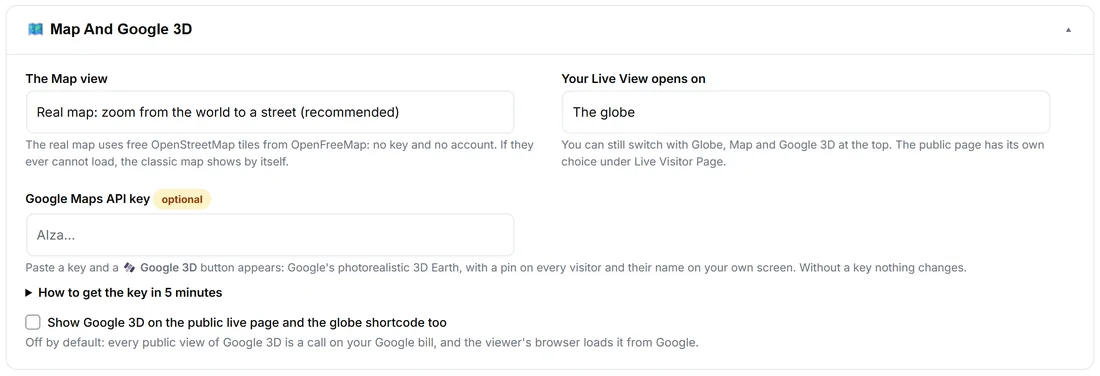
- The Map view: Real map: zoom from the world to a street (recommended), or Classic: country outlines only, nothing loaded from outside. The real map uses free OpenStreetMap tiles from OpenFreeMap, loaded into the browser of whoever opens it. Nothing about your visitors is sent with those requests.
- Your Live View opens on: The globe, The map, or Google 3D (once a Google key is saved).
- Google Maps API key (optional): paste a key and a 🛰️ Google 3D button appears on your Live View. How to get the key in 5 minutes has the steps. Google 3D loads from Google into the browser of whoever opens it.
- Show Google 3D on the public live page and the globe shortcode too: off by default.
The globe and the classic map are drawn entirely from your own server.
Retention:
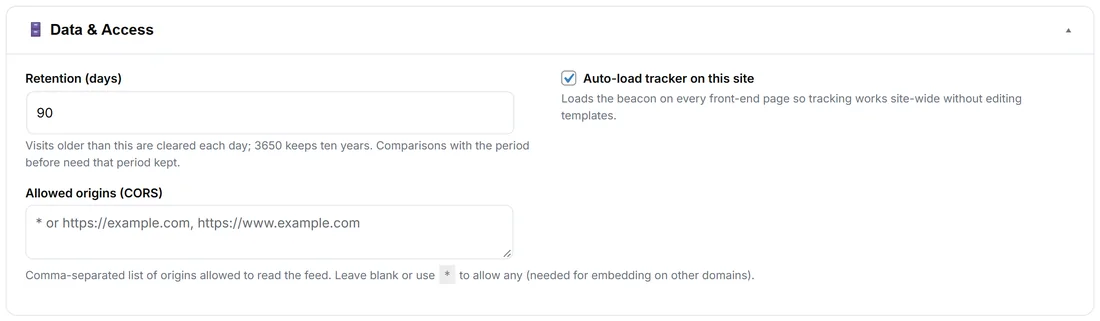
Under Data & Access, Retention (days) sets how long visits are kept: 30 by default, from 1 to 3650 (ten years). A daily job clears older visits, and with them the stored identities of visitors not seen since and chats idle for a week. The Dashboard and Stats can only look back as far as you keep, and a comparison with the period before needs that period kept too.
What is never shown to anybody else:
Names, emails, lifetime values and chats only ever show inside your own admin screens. The public globe, the shortcodes and the public page carry only what you tick under What The Public Sees.
A real example:
Yoursite has visitors in Ireland, Germany and France, and runs ResultsAiX Consent. With Visitor consent on Automatic, a visitor from Dublin who has not answered the banner reads the golden hour post without showing on the globe. When she accepts analytics, she appears. The local database is installed, so her address never leaves yoursite.com, and Privacy mode stores only a scrambled fingerprint.
Tips:
- Install the local database first: it is faster and fully private.
- If every visitor shows in one data centre city, your site is behind a proxy. Tick Trust X-Forwarded-For header.
- Allowed origins (CORS), also under Data & Access, is for unusual set-ups. Sites on Your Sites are allowed by themselves.