The people who buy through your link are the best people to have on your list. The email step asks for a name and email on the delivery page before the bonuses open, so every buyer becomes a lead you can follow up with.
Where to find it:
Open a project, click 5. Delivery & leads, and look in the Your bonus delivery page card. The email step shows once Host my bonuses on my site is ticked.
Switching it on:
- Tick Ask for name and email before the downloads.
- Change the Headline and the Words under it if you like.
- Click Save at the bottom of the Where new leads go card.
The settings:
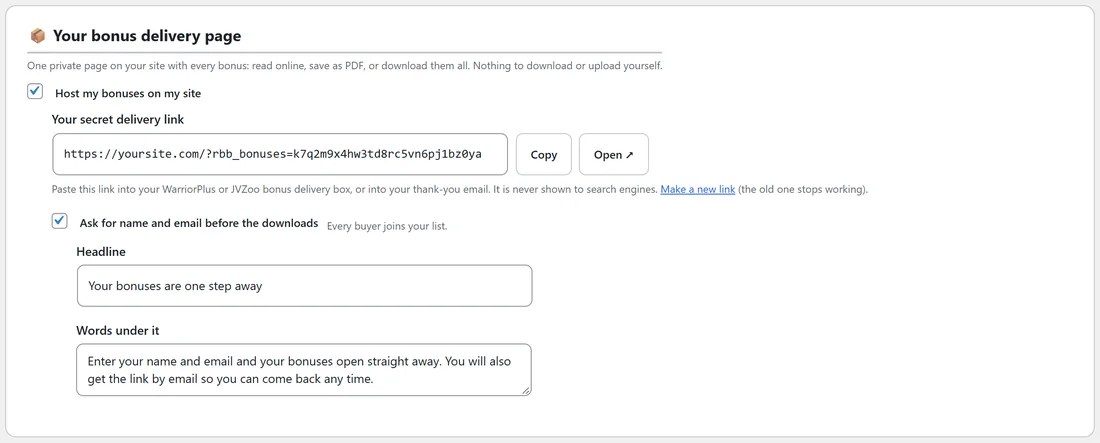
- Headline. The big heading on the form. It starts as Your bonuses are one step away.
- Words under it. The line under the heading. It starts by saying the bonuses open straight away and that the link also comes by email.
Keep both short and about the bonuses, so the buyer knows exactly what they get.
What buyers see:
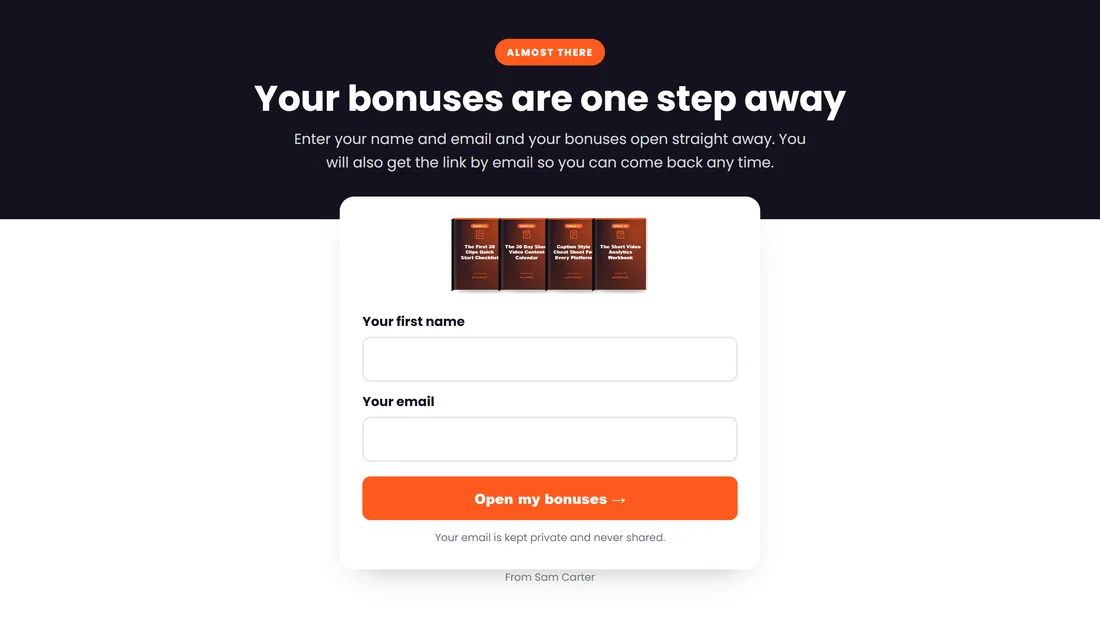
- An Almost there badge, your headline and your words.
- The covers of the first four bonuses.
- Your first name, which is optional, and Your email.
- The Open my bonuses button.
- A line saying their email is kept private and never shared.
What happens next:
- The buyer enters an email and clicks Open my bonuses.
- The bonuses open straight away.
- The browser remembers them, so next time the link opens straight to the bonuses.
- They get an email with the subject Your ClipForge AI bonuses (with your product's name) and their link, so they can come back any time. It is signed with your name from the Settings tab.
- The lead is saved under Leads on step 5, marked Delivery page, and goes to your email alert and webhook if you set them.
One lead per person:
Each email address is saved once per project. A buyer who comes back and enters the same email again opens the bonuses without being added twice.
A real example:
Sam kept the headline Your bonuses are one step away and switched the email step on for ClipForge AI. In the last month 90 buyers joined Sam's list from the delivery page, each one sent straight to Sam's autoresponder by the webhook.
Tips:
- Set up Where new leads go at the same time, so each new buyer reaches your autoresponder: see Your Leads: Alerts, Webhook And CSV.
- The leave popup can collect emails on your bonus page too: see The Leave Popup On Your Bonus Page.