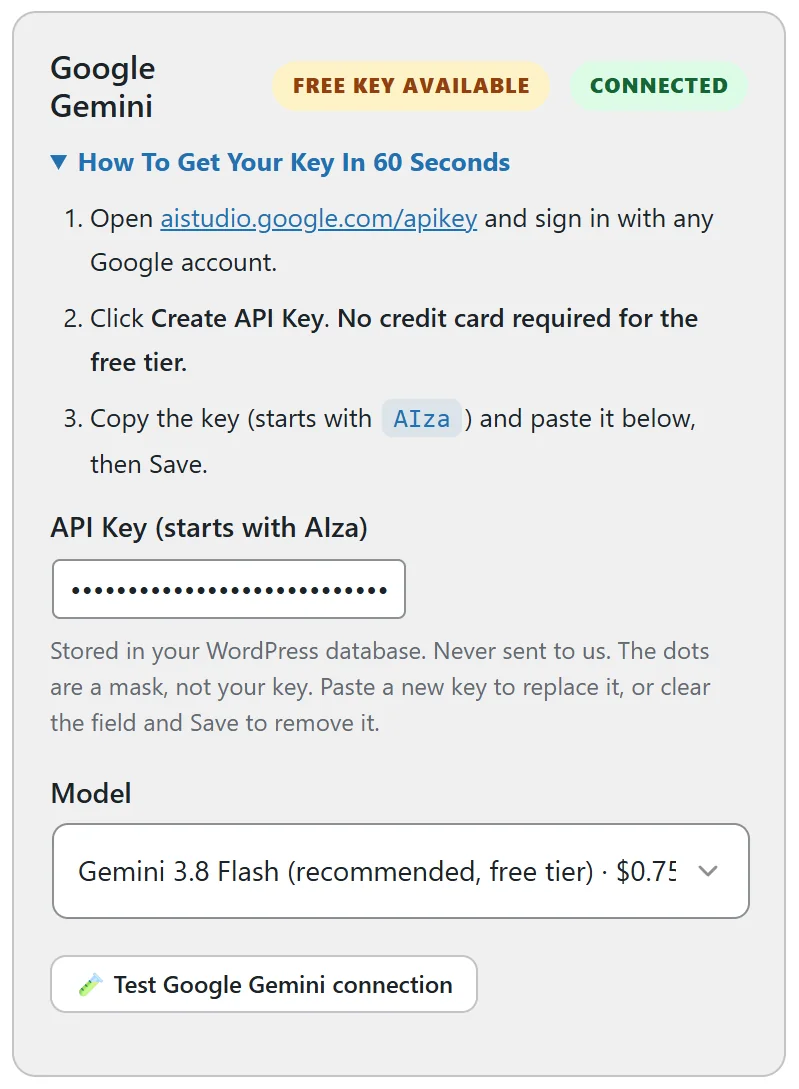
Google Gemini is the easiest way to start. Google gives a free key with no credit card for the free tier, and its recommended model writes full bonuses well. The card on the AI tab is marked Free Key Available.
Getting your key:
- Open aistudio.google.com/apikey and sign in with any Google account.
- Click Create API Key.
- Copy the key. It starts with AIza.
Adding it to Bonus Builder:
- Open Bonus Builder, then the AI tab.
- In the Google Gemini card, paste the key into API Key (starts with AIza).
- Click Save AI settings at the bottom of the page.
- The card shows Connected. Click Test Google Gemini connection to check it.
Choosing a model:
The recommended models are:
- Gemini 3.8 Flash (recommended, free tier). The default, and a good choice for everything.
- Gemini 3.5 Flash Lite (fastest, cheapest).
- Gemini 3.5 Flash.
- Gemini 3.1 Pro (preview), highest quality.
- Gemini Flash, always the newest.
Every Gemini model on your account also shows in the list once your key is saved.
Images with the same key:
The same Gemini key also makes AI images, such as bonus cover artwork. See AI Images: Covers, A Hero Image And A Featured Image.
Tips:
- Make Google Gemini the primary provider under AI configuration, or leave the primary on Auto.
- Add a second provider as the fallback for extra peace of mind.