Every bonus page can use the extras that help people decide. You set them on step 4, and each one shows in the preview straight away.
The four layouts:
- Classic. The headline and a picture side by side, then your bonuses one by one, left and right.
- Video hero. The headline at the top, your video in the middle and the button right under it. Best when you have a review video.
- Card grid. Your bonuses side by side as cards, each with an Included free ribbon. Good when you give four or more bonuses.
- Long-form. One calm column that reads like a letter, with thin lines between the bonuses.
Extras that sell (step 4, Extras that sell):
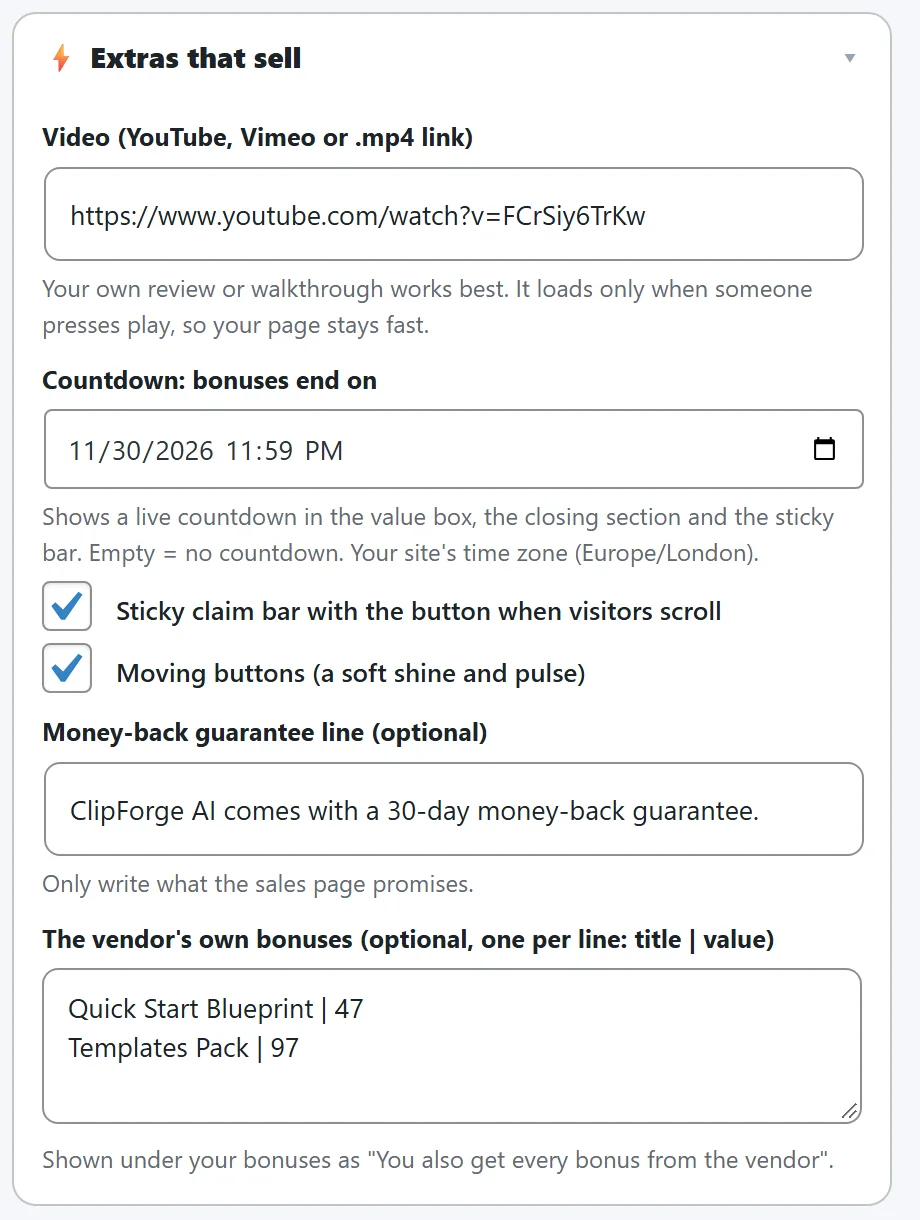
- Video. Paste a YouTube, Vimeo or .mp4 link. The video loads only when someone presses play, so your page stays fast. With Video hero it sits at the top; with the other layouts it shows just under the top.
- Countdown. Pick the date and time your bonuses end. A live countdown shows in the value box, in the closing section and in the sticky bar. When the time is up the countdown hides itself. It is the same date as the countdown banner on step 5.
- Sticky claim bar. When a visitor scrolls past the first button, a slim bar with your bonus count, the countdown and the button stays at the top of the screen.
- Moving buttons. A soft shine and pulse on every button. People who switch off motion on their device see still buttons.
- Money-back guarantee line. Shown in a box with a shield before the closing section. Only write what the sales page promises.
- The vendor's own bonuses. One per line as title | value. They show under your bonuses as "You also get every bonus from the vendor".
Footer links:
Small links at the bottom of your bonus pages, download page and opt-in pages. Set them once in Your Profile, under Footer links on your pages:
- Use a menu I already have. Pick a WordPress menu, like your footer menu, and its links show. Change them any time in Appearance > Menus.
- Choose my own links. For Privacy policy, Terms and Disclaimer, pick a page on your site from the list or type any address. Add more links one per line as Name | address, like Contact | https://yoursite.com/contact/. Privacy uses your site's own privacy page when you leave it empty.
Untick Show footer links to show none.
Your name at the top:
The small label at the top of the page says Exclusive bonuses from and your name, from Your Profile. Change it with Edit the page live.
A real example:
Sam uses Card grid for ClipForge AI's four bonuses, adds the vendor's two bonuses, sets the countdown to the last day of the launch and writes ClipForge AI comes with a 30-day money-back guarantee. Visitors who scroll see the sticky bar counting down with the button always one click away.