Ask the family is a chat that answers questions about your business by reading the real data in your other ResultsAiX plugins. Ask what people searched for and did not find, which lists grew fastest, or which subject lines worked best, and it reads the rows it needs before it answers.
What it needs:
An AI key, AI features on and an active licence. Without them the tab shows one line saying what is missing. See Connecting Your AI Key, And What Works Without One.
Where to find it:
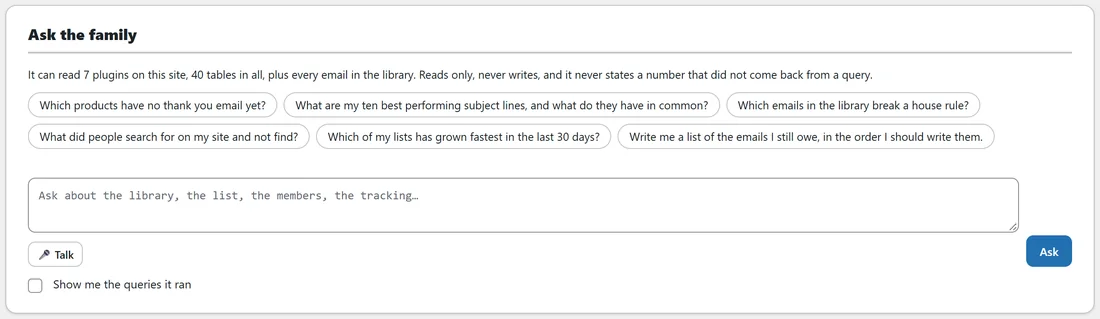
Open AiX Email and click the Ask the family tab, or Ask the family in the WordPress sidebar. The Overview's AI card also has an Ask the family button.
Asking a question:
- Click a suggested question, or type your own into the box.
- Press Ask. Holding Ctrl and pressing Enter also sends it, or Cmd and Enter on a Mac.
- While it works it says Reading. The answer appears as a chat message.
- Ask a follow up. The chat remembers the last few turns.
You can also press Talk and say the question out loud, in browsers that support it.
The suggested questions:
- Which products have no thank you email yet?
- What are my ten best performing subject lines, and what do they have in common?
- Which emails in the library break a house rule?
- What did people search for on my site and not find?
- Which of my lists has grown fastest in the last 30 days?
- Write me a list of the emails I still owe, in the order I should write them.
The two about subject lines and lists appear when ResultsAiX Mailer is on the site.
How it answers:
It reads only. Each time it needs data it writes a single SELECT, which is checked before it runs: anything that is not a single read, or that names a table not on the What it can read list, is refused. It can ask for data up to four times before it must answer, and it is told plainly never to state a number that did not come back from a query. A query that fails is reported as a failure, never as none found.
Show me the queries it ran:
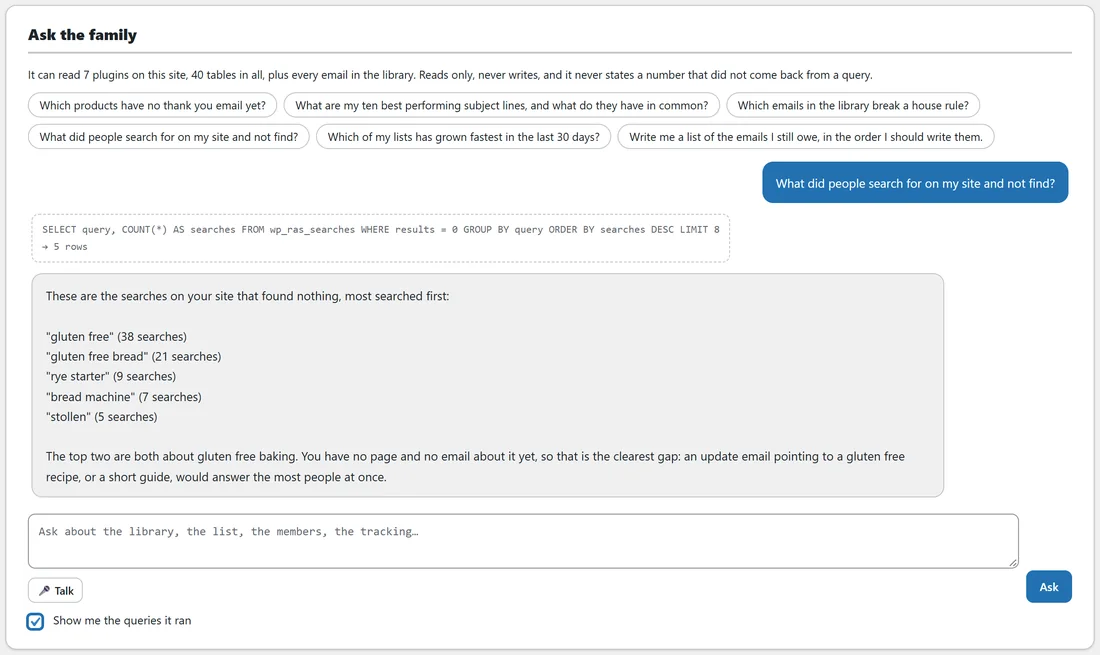
Tick this box before you ask, and each query appears above the answer with how many rows came back. It is the quickest way to check where a number came from.
What it can read:
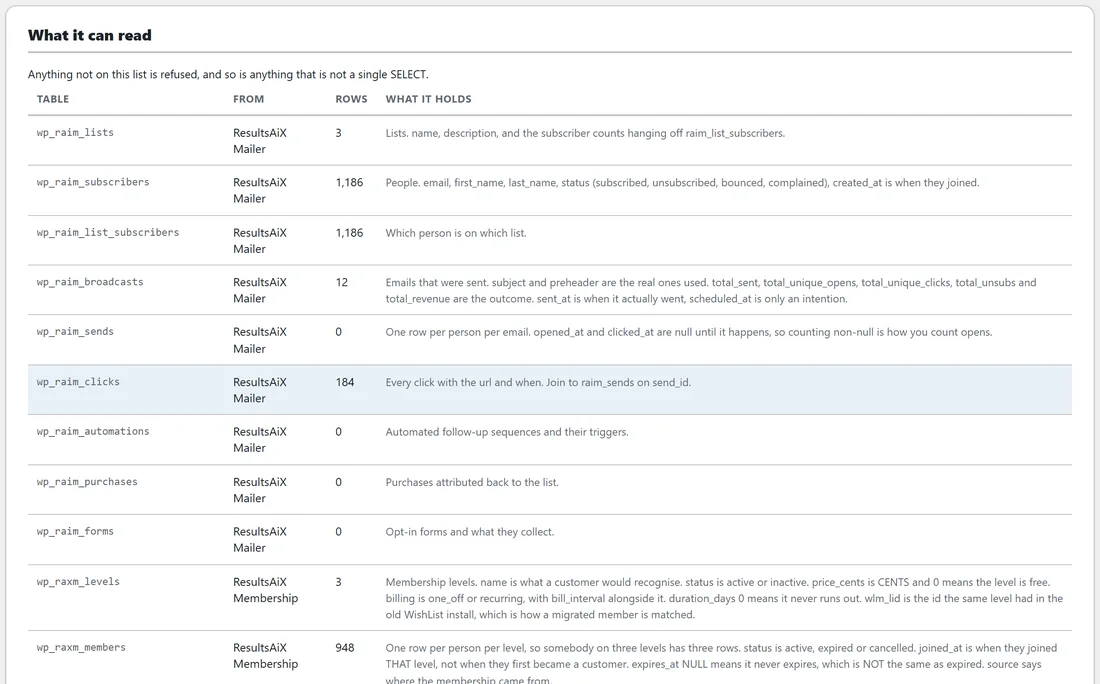
The card below the chat lists every table it may read, up to 40, with the plugin it comes from, its row count and what it holds. Tables the plugin knows well carry a description of what their columns mean. Other tables from the ResultsAiX family are listed as Not documented, with a note to read a few rows before trusting a column. The line at the top of the chat says how many plugins and tables it can read.
The library itself is described to the chat, but its table is not on the What it can read list, so questions about the emails in your library are best answered on the Library, Coverage and Reports tabs.
Privacy and limits:
- Email addresses in any row read are replaced with [address at domain] before anything is sent to the AI provider. Send real email addresses to the AI provider on the Settings tab switches that off. It is off by default.
- Most rows one question may read, also on the Settings tab, caps each query. It starts at 200 and can be set from 10 to 1000.
- Nothing you ask and nothing it answers is stored. The AI Connect tab logs only the shape of each job.
A worked example:
Sam ticks Show me the queries it ran and clicks What did people search for on my site and not find? One query runs against the site search table and returns five rows. The answer lists gluten free with 38 searches and gluten free bread with 21, and points out that both are about the same missing topic. Sam adds a gluten free recipe page and writes an update email about it.
Tips:
- Ask one clear question at a time, the way you would ask a colleague.
- Keep Show me the queries it ran ticked while you learn what it can see.