A person who leaves a testimonial is one of your happiest customers, and a great lead. The Integrations & AI tab passes each new reviewer on to your email list or other tools.
Only reviewers who give an email are sent. WarriorPlus imports have no email, so they are never sent.
Where to find it:
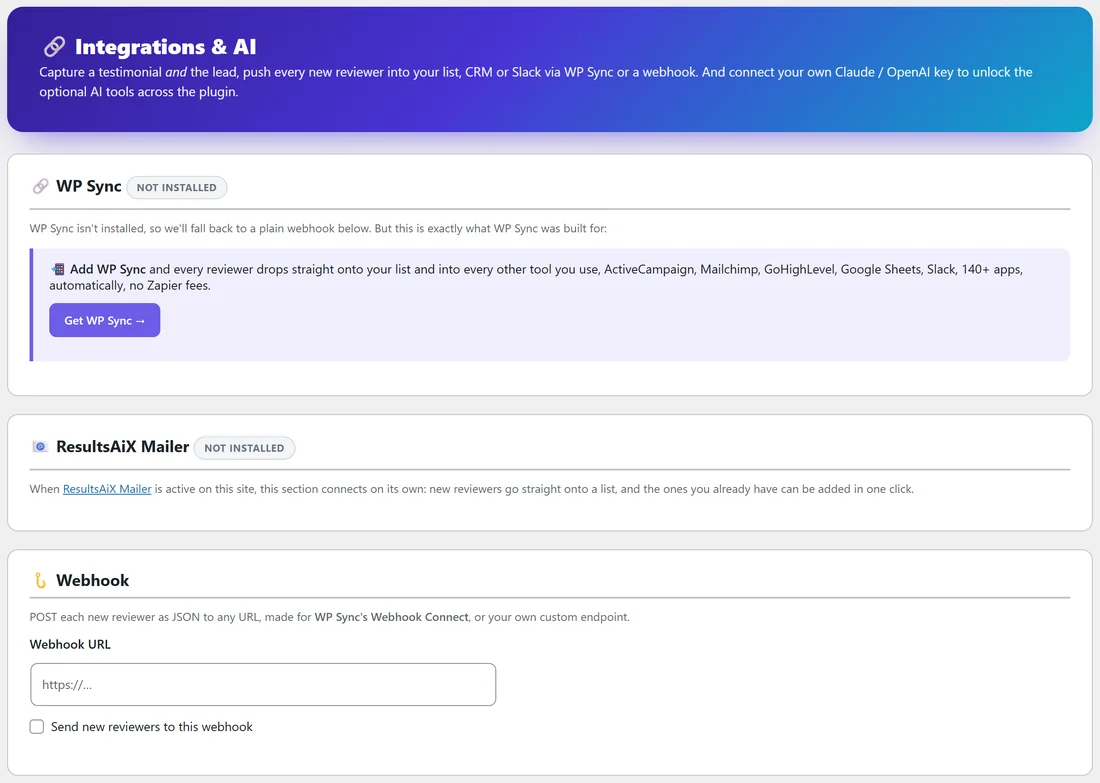
Click AiX Testimonials, then the Integrations & AI tab.
WP Sync:
When WP Sync is installed, this panel lets you pick a WP Sync bridge, and every reviewer goes to the tools that bridge connects, such as your autoresponder, CRM, Google Sheets or Slack. When WP Sync is not installed, the panel shows NOT INSTALLED and the plugin uses the plain webhook below instead.
ResultsAiX Mailer:
When ResultsAiX Mailer runs on the same site, this section shows Detected and connects by itself, with nothing to set up:
- Create a list in the Mailer first (Mailer, then Lists).
- Tick Add new reviewers to a Mailer list.
- Choose the Mailer list.
- Optionally type a tag under Tag them. testimonial is the default.
- Click Save integration.
New reviewers are added at the moment you choose under When to send, and the list's own double opt-in setting applies. Someone already in your Mailer keeps their name and history: they just join the list and get the tag.
Already have reviewers? Click Add existing reviewers to the list to add them all in one go. Tick Ask each new person to confirm first if you want them to get a confirmation email and join once they click it. Only add people who agreed to hear from you.
Webhook:
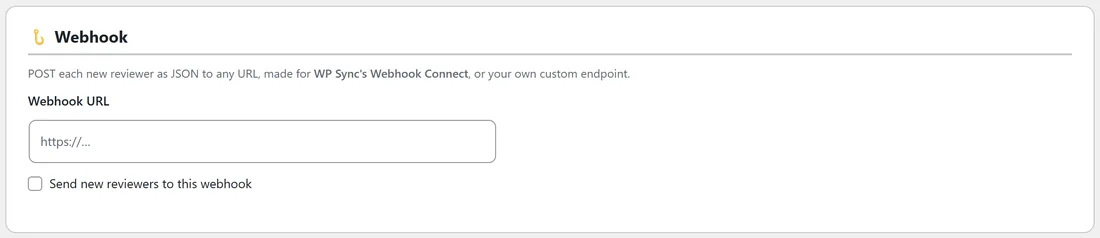
The webhook POSTs each new reviewer as JSON to any address. It is made for WP Sync's Webhook Connect, or your own system.
- Paste the address into Webhook URL.
- Tick Send new reviewers to this webhook.
- Under When to send, choose The moment they submit (capture every lead) or Only after I approve the testimonial.
- Click Save integration.
With PRO active, a note points you to PRO, Outbound Webhook, which sends every event (submitted, approved and gift delivered) with an optional signature. See ResultsAiX Testimonials PRO: Upgrade Features.
For developers:
Every reviewer also fires a hook you can use from any plugin or snippet:
add_action( 'autoproof_push_lead', function( $email, $first, $last, $row ) { }, 10, 4 );
A real example:
Fit at Home Academy uses ResultsAiX Mailer. Jordan ticks Add new reviewers to a Mailer list, chooses the Happy customers list, keeps the tag testimonial and picks Only after I approve the testimonial. Every approved reviewer joins the list, and Jordan later sends them an invitation to the next program.
Tips:
- Choose Only after I approve when your list is for happy customers. Choose The moment they submit when you want every lead.
- Use the tag to send reviewers a special follow-up in your Mailer.
- Check the Activity tab after your first test. Pushes to WP Sync and the webhook are logged there.