Two tabs show what the plugin has been doing. Activity is a full record of every event. Diagnostics is a one-page health report of your site and settings.
The Activity tab:
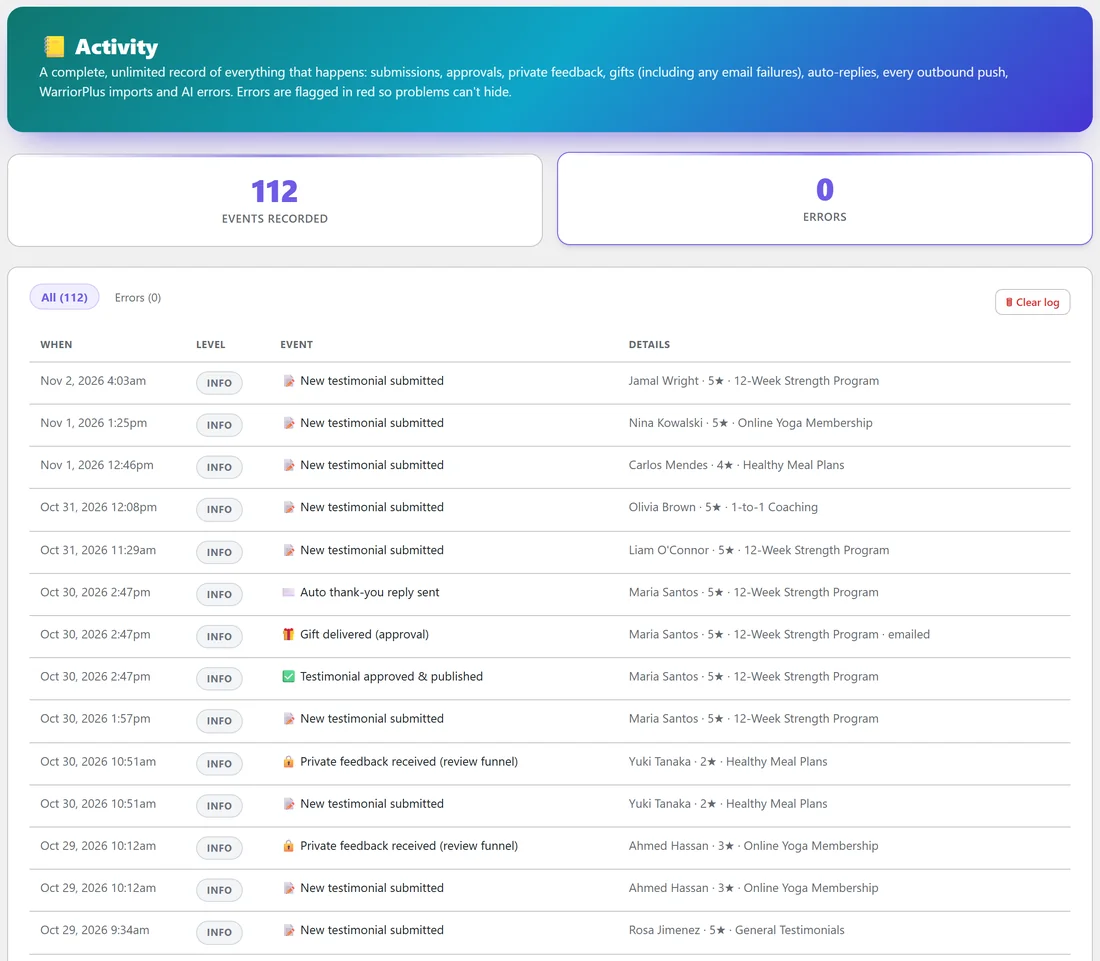
Click AiX Testimonials, then Activity. The cards at the top count EVENTS RECORDED and ERRORS. The log has no limit and keeps everything.
Each line shows WHEN, the LEVEL (INFO or ERROR), the EVENT and its DETAILS, newest first. Events include:
- New testimonial submitted
- Testimonial approved & published
- Private feedback received (review funnel)
- Gift delivered, with how (approval, instant or manual) and whether it was emailed
- Auto thank-you reply sent
- Pushes to WP Sync and the webhook
- Imports, such as Imported 3 testimonials from CSV
- AI requests that did not complete, with your provider's own message
Details show the reviewer's name, stars and product. Errors are flagged in red, and the Errors filter shows only those.
Using the log:
- Click All or Errors to switch views.
- Use the page links at the bottom to go back in time.
- Click Clear log to start a fresh log.
If you see an error:
- A gift or thank-you email marked as failed to send: your site's email needs attention. Install an SMTP plugin, send a test, then use Send gift on the testimonial's row to resend.
- An AI request error: read your provider's message in the details, check your key on the Integrations & AI tab, save and click Test connection.
The Diagnostics tab:
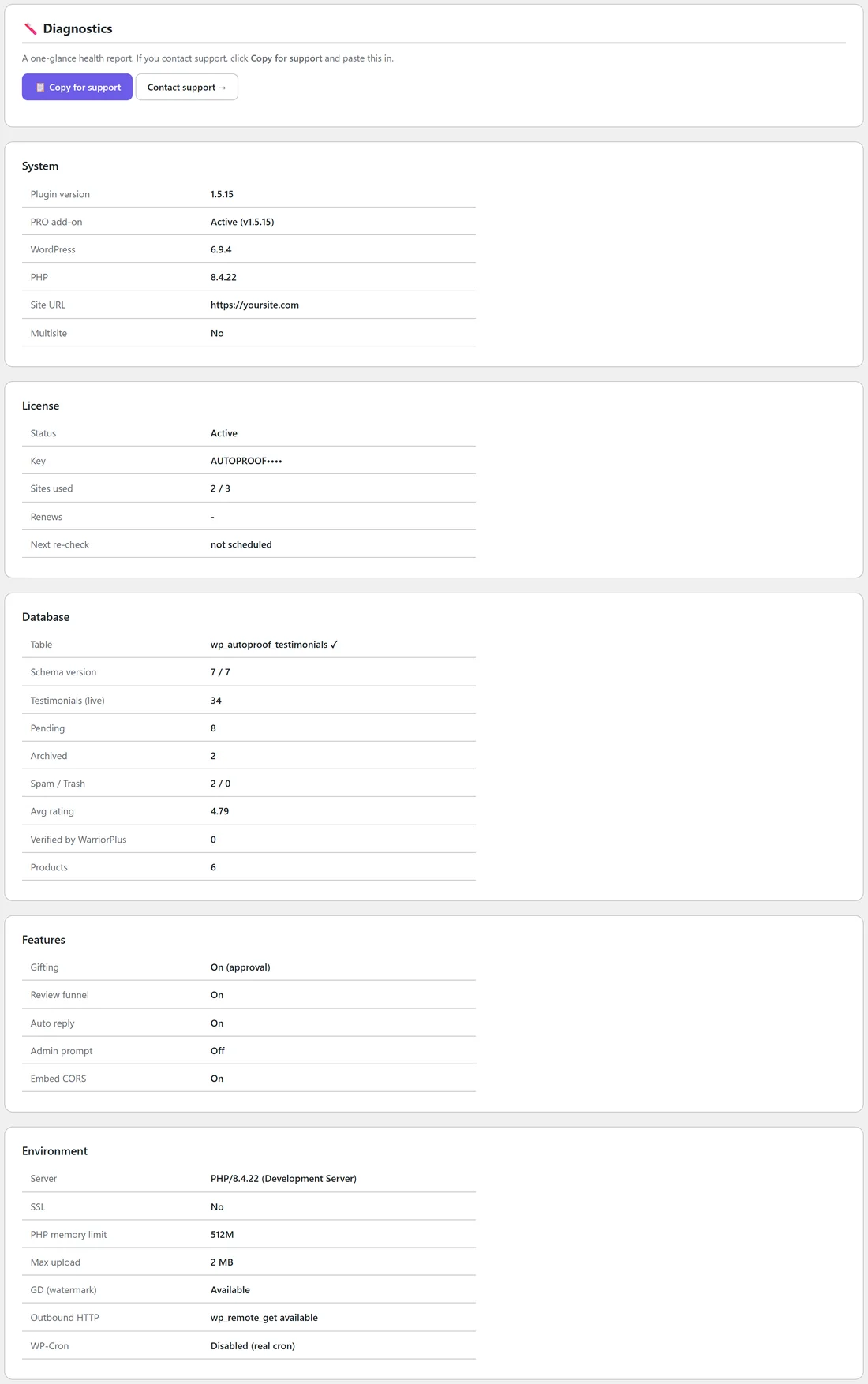
Click AiX Testimonials, then Diagnostics. It lists:
- System: plugin version, PRO add-on status, WordPress, PHP, site address and multisite
- License: status, masked key, sites used and the next licence check
- Database: the table, schema version, counts of live, pending, archived, spam and trash testimonials, average rating, WarriorPlus verified reviews and products
- Features: whether gifting, the Review Funnel, auto reply, the admin prompt and embed CORS are on
- Environment: server, SSL, PHP memory limit, maximum upload size, GD for watermarks, outbound HTTP and WP-Cron
Getting help:
- Open Diagnostics.
- Click Copy for support.
- Click Contact support and paste the report into your ticket.
A real example:
After the first busy week, Fit at Home Academy's Activity tab shows 112 events and 0 errors. Jordan can see that Maria Santos's review was submitted at 1:57pm, approved at 2:47pm, and that her gift and thank-you email went out the same minute.
Tips:
- Look at Errors once a week. Zero is the goal.
- Max upload on Diagnostics is the largest photo or video a customer can upload. Ask your host to raise it if videos are larger.
- Send the Diagnostics report with every support ticket. It answers most first questions.