Frequency rules are what separate a campaign that converts from one that annoys people. The Display tab is where you set them.
Where to find it:
Open a campaign in the builder and click the Display tab. The first two groups are How often and Priority. Further down are Embed On Any Page and Split Testing, covered in their own articles.
How often:
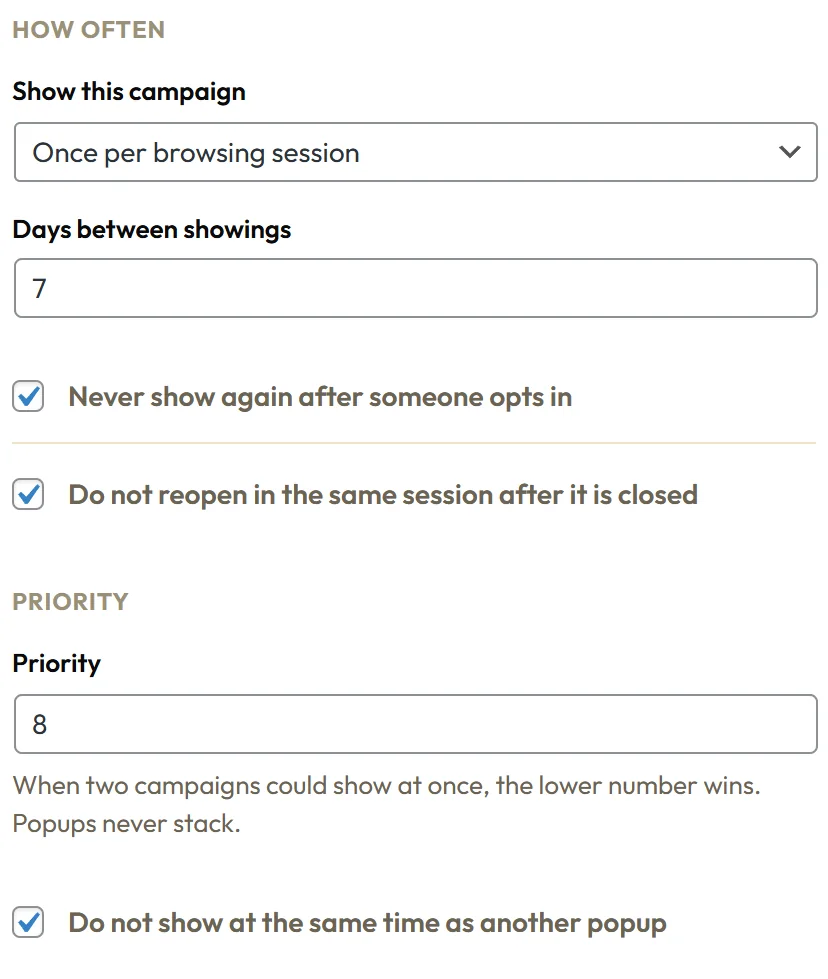
Show this campaign has four choices:
- Once per browsing session: the default. Once a visitor closes the campaign, it stays away for the rest of that visit. Until they close it or opt in, it can appear on each page they open, which suits bars and gentle offers.
- Every page view: shows on every page, even after it was closed. For bars, side tabs and in-content boxes that should always be there.
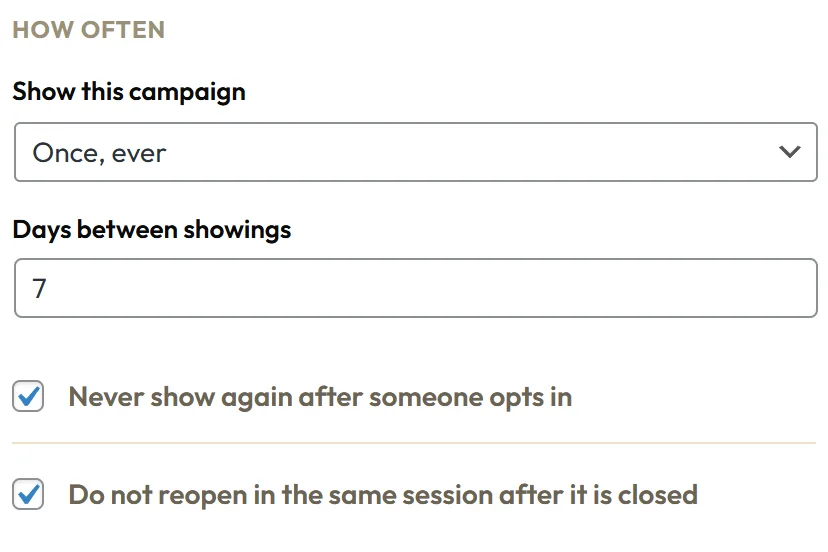
- Once, ever: shows one time for each visitor, then never again in that browser. For a welcome mat, a cookie notice or a prize wheel.
- Once every few days: after a visitor closes it, it stays away for the number of days in Days between showings, then may show again.
Two switches sit underneath:
- Never show again after someone opts in: on by default. Once somebody is on your list, Engage stops asking.
- Do not reopen in the same session after it is closed: on by default. This is the switch behind Once per browsing session, so leave it on when you use that choice.
A visit, or session, ends after 30 minutes without a page view.
How Engage remembers:
All of this is stored in the visitor's own browser, so it works on cached pages and needs no login. In a private window, a visitor starts fresh, which is also the easiest way for you to test.
Priority:
- Priority: a number from 1 to 100. Lower numbers go first.
- Do not show at the same time as another popup: on by default.
Popups take turns. When a second popup is ready while one is open, it waits and shows after the first one closes. Bars, side tabs, the chat callout and the In-Content Box always share the page freely.
A real example:
Northside's settings:
- Free Delivery Bar: Every page view, priority 5.
- First Bag Discount Two Step: Once per browsing session, priority 8.
- Brew Guide Exit Popup: Once every few days with 3 days between showings, priority 10.
- Spin To Win Wheel: Once, ever, with Never show again after someone opts in.
- Cookie Notice Bar: Once, ever, priority 1.
What Engage checks, in order:
- On your server: is the campaign live, do the page, people, referrer, URL parameter and date rules allow it, and has a countdown hidden it? If not, it is never sent to the page.
- In the browser: is the device allowed, is the visitor new or returning as required, do the frequency rules allow it, and does the country allow it? Is it hidden on mobile?
- Then the trigger waits for its moment.
- When it fires, a popup takes its turn if another popup is open.
Lower priority numbers are checked first, so on a page with several campaigns, priority decides which popup gets the first turn.
Choosing priority numbers:
Leave gaps, for example 10, 20 and 30, so you can slot a new campaign between two others later. Keep notices such as a cookie bar at 1 or 2 so they come first.
Good settings by type:
- Sticky bars and side tabs: Every page view.
- Center Popup and Two Step Yes / No: Once per browsing session, or Once every few days for regular readers.
- Exit intent popups: Once every few days, 3 to 7.
- Welcome Mat, Spin To Win, Cookie Notice Bar: Once, ever.
- In-Content Box: Every page view.
Tips:
- Use Once, ever when a visitor should see an offer one time only, whatever they do with it.
- Start gentle and only show more often when the numbers say visitors do not mind.
- Use Once, ever for anything that gives a prize or asks for a yes or no about the whole site.
- While testing, set Every page view, then switch back before you finish.