With ResultsAiX Membership on the same site, members-only shows work with your membership levels. There are two separate tools: levels that can listen (on the show or episode), and levels that give a private link by email (on the Integrations tab). Most sites use the first; the second suits members who would rather get their link by email.
Limit a show or an episode to levels:
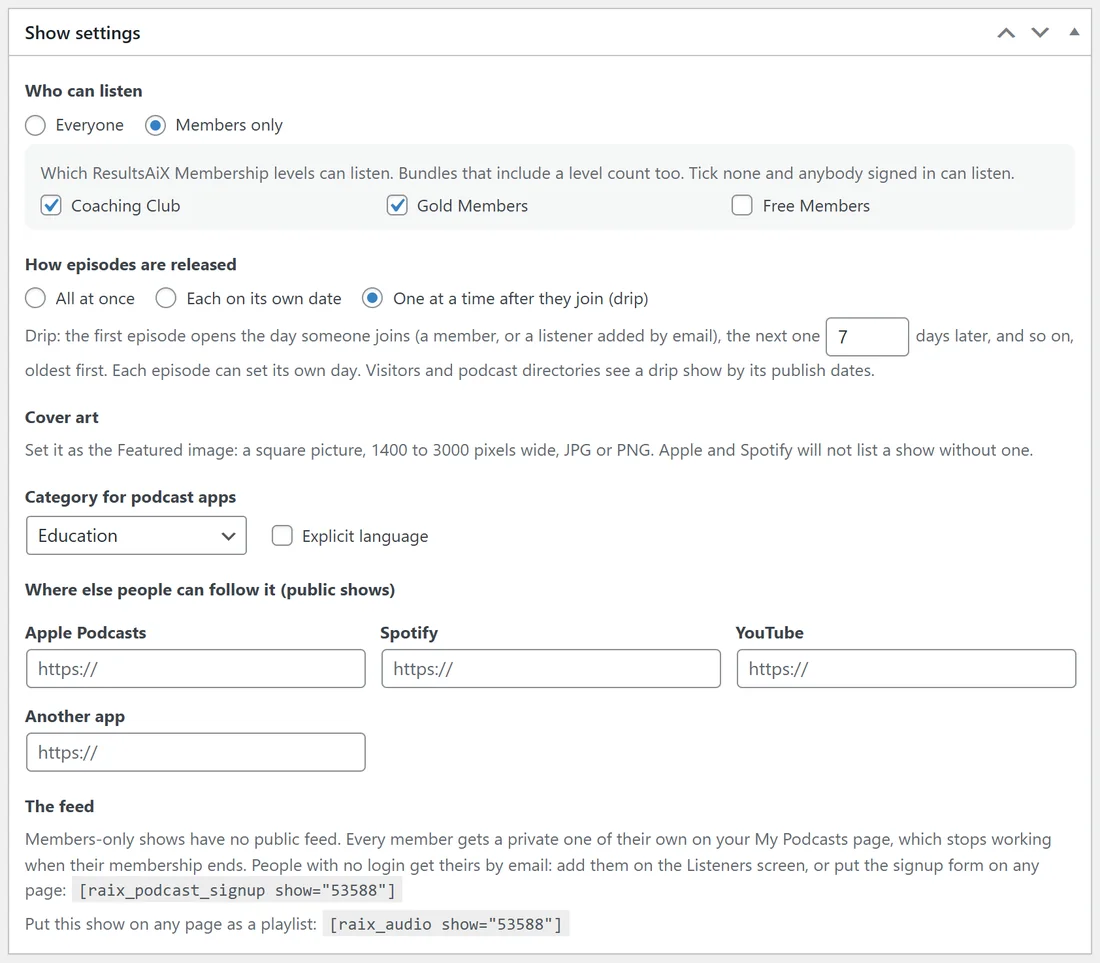
- Open the show (Podcasts, Shows), or one episode, and set Who can listen to Members only.
- Tick the levels that can listen. A bundle that includes one of those levels counts too.
- Tick no level and anybody signed in can listen.
- Update.
Every member who may listen finds their own private feed on the My Podcasts page. The Your shows card on the Settings tab then lists the levels under Who can listen.
A level that gives a private link by email:
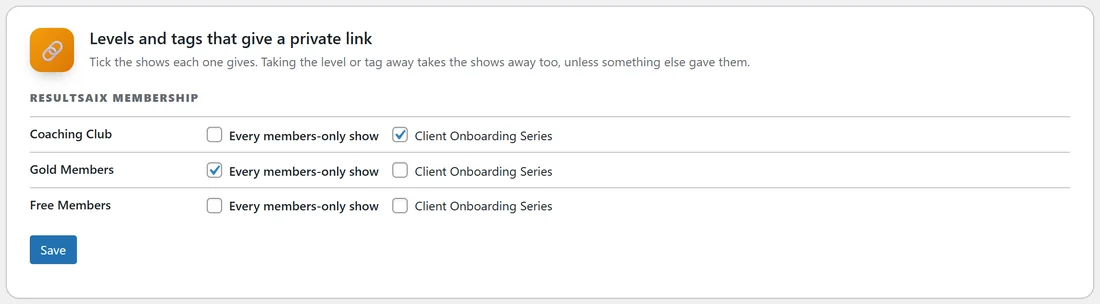
- Open Podcasts, Dashboard, Integrations, and find Levels and tags that give a private link.
- Under ResultsAiX Membership, each level has a row. Tick Every members-only show, or single shows.
- Press Save.
From then on, anyone who gets that level becomes a listener of those shows, using their account email and name, and gets the welcome email with their private link (when Send the welcome email is on). They show on the Listeners screen with From set to Membership level.
When a level is taken away:
The member stops hearing those shows at once, on your site and in their podcast app, unless something else gave them the show (another level, a tag, or you by hand). A level that ends or runs out counts as taken away.
How drip counts for members:
On a drip show, a member's day one is the day they got the earliest active level that opens the show. See Drip Release And Episodes That Close.
A real example:
yoursite.com sells two levels: Coaching Club and Gold Members. The Client Onboarding Series is set to Members only with both ticked. On the Integrations tab, Coaching Club gives the series and Gold Members gives Every members-only show, so a new Gold member also gets every future private show by email without you lifting a finger.
Good to know:
- Make the show members-only first: levels give members-only shows. Until one exists, the Integrations tab says so.
- Editors and administrators can always listen.
- Levels you tick while ResultsAiX Membership is switched off keep the show closed rather than open.