ResultsAiX Funnels builds complete marketing funnels inside WordPress. You describe your offer in a sentence, or answer a few questions, and the AI writes the copy and arranges every page. A built in renderer then turns that plan into fast, responsive pages you can publish in one click or download as a zip.
It also brings in pages you already own. Paste the address of an old sales page and the AI rebuilds it on the same section library, keeping your offer and your words.
This guide is the map. Each step below has its own article with screenshots and every setting explained.
Where to find it:
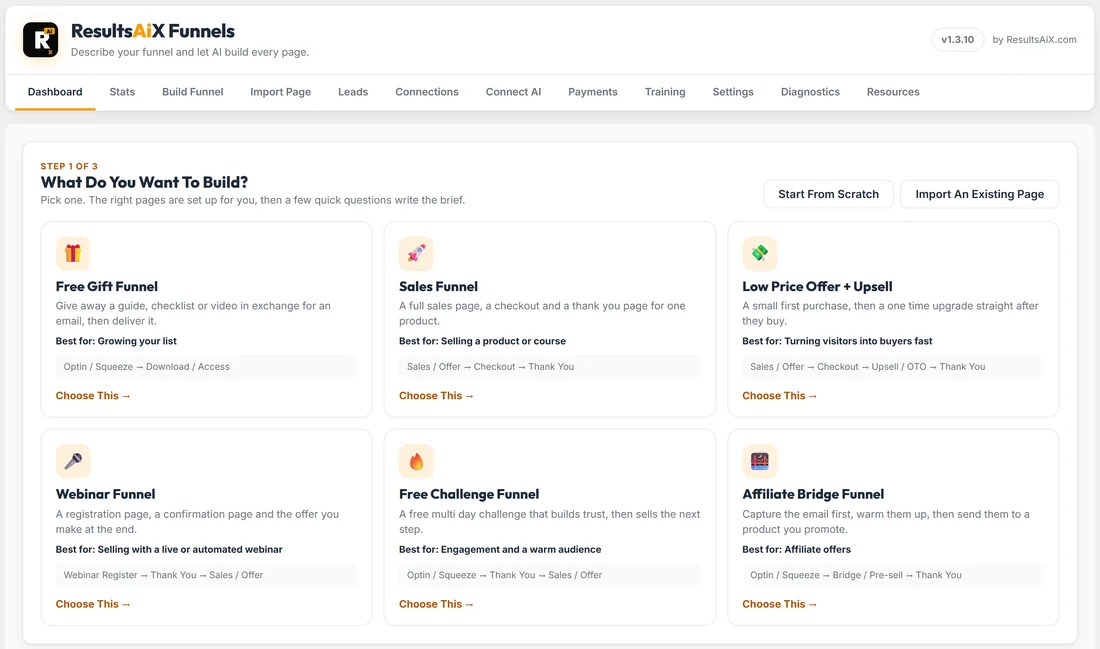
After you activate the plugin, a new AiX Funnels menu appears in your WordPress sidebar. Every screen sits on the tab bar at the top: Dashboard, Stats, Build Funnel, Import Page, Leads, Connections, Connect AI, Payments, Training, Settings, Diagnostics and Resources. Payments only appears once you connect Stripe.
What the plugin does, end to end:
- Six ready made funnels on the Dashboard, each with a few questions in place of a blank brief
- Writes and builds a whole funnel from one sentence, using your own AI key
- Lets you paste copy you already wrote, and keep it word for word
- Shows visitors, optins, sales and revenue for every funnel, page by page
- Lets you edit any word, rewrite a section or a page with AI, or change the HTML
- Connects your optin forms to your email tool, with fourteen connections built in
- Saves every lead on your own site first, then sends it on
- Writes the free report your optin page promises, as a real PDF
- Takes payments through your own Stripe account with Buy Buttons
- Publishes to WordPress in one click, or downloads a zip you can host anywhere
A real example:
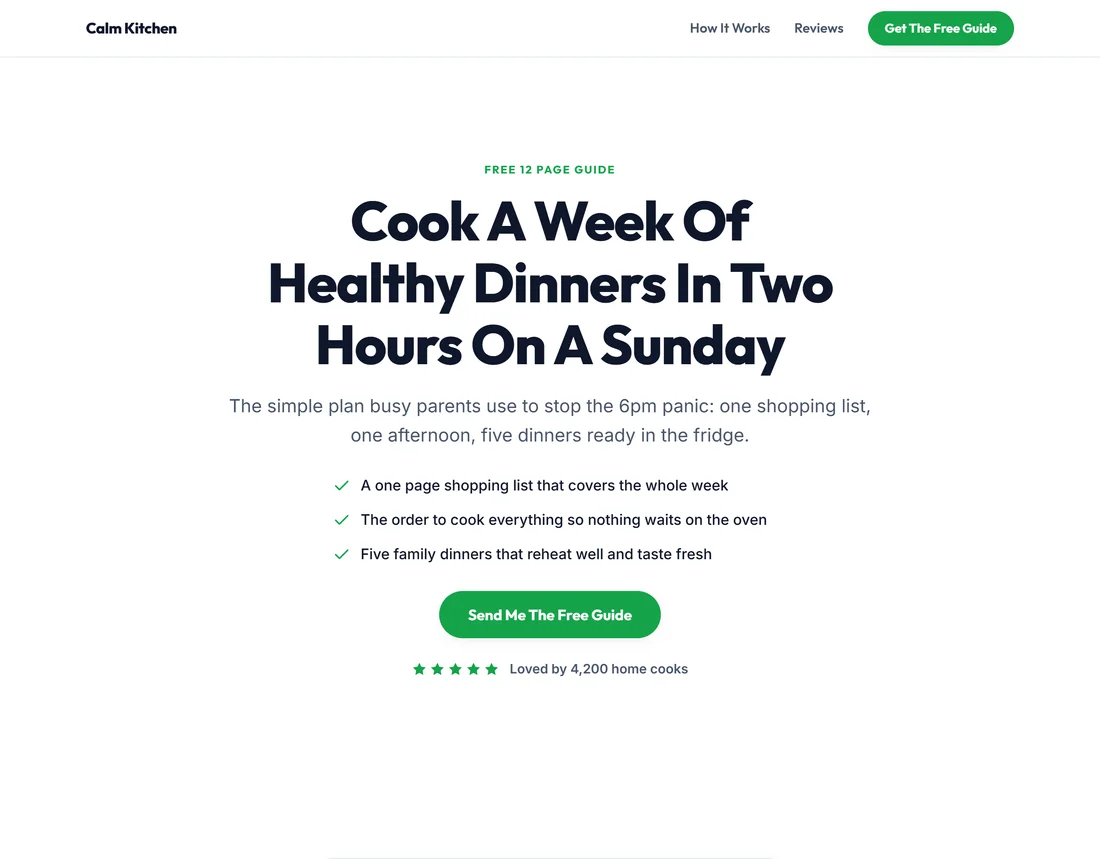
All the screenshots in these guides come from one made up business: Calm Kitchen, a home cooking school at yoursite.com run by Sarah Bennett. Sarah has four funnels:
- Sunday Meal Prep Starter: a free guide, a thank you page, the Meal Prep Mastery course, a Family Freezer Plan upgrade and a downloads page
- 5 Day Meal Prep Challenge: a free challenge that leads into the same course
- Weeknight Dinners Workshop: a webinar funnel built around a live workshop
- 30 Recipe Starter Pack: a low price offer with an upgrade
You will see these same funnels, leads and numbers in every article, so you can follow one business from the first brief to the first sale.
Where to start:
- Activate your licence key. See Getting Started And Activating Your License.
- Connect an AI key on the Connect AI tab. Gemini has a free tier. See Connecting Your AI Key: Gemini, Claude Or OpenAI.
- Connect your email tool on the Connections tab. See Connecting Your Email Tool: The Built In Connections.
- Pick a funnel on the Dashboard and answer its questions. See Choose Your Funnel: Six Ready Made Funnels And A Few Questions.
- Press Generate My Funnel and check every page in the preview. See Building Your First Funnel From One Sentence.
- Set where each form sends its leads. See Where Your Leads Go, And What Happens After The Optin.
- Publish it to WordPress, or download the zip. See Publishing Your Funnel To WordPress.
- Watch the numbers on the Dashboard and the Stats tab. See Dashboard And Stats: Visitors, Optins And Sales For Every Funnel.
The Training tab:
Training holds these guides inside your WordPress admin. Type in Search the training, for example stats, HTML, Stripe, webinar or images, to jump to the right guide, or open the Quick start for a whole funnel in about a minute. Open The Full Docs takes you to the online version.
Words used in these guides:
- Funnel: a series of pages with one goal, built and saved as one item on your Dashboard
- Page: one step of a funnel, such as the optin page or the sales page. Each page has its own tab in the builder
- Section: one block of a page, such as the hero, a form or the FAQ
- Layout: one of the designs a section can take, picked in Edit Content
- Brief: the sentence, or the answers, that tell the AI what to build
- Lead: one person who filled in a form, stored on the Leads screen
- Connection: your email tool, added once on the Connections tab
- Theme: the look of the whole funnel, picked on the Build screen
Tips:
- Build one small funnel first, an optin page and a thank you page, and publish it the same day. You learn the whole flow in under an hour.
- Keep the Training tab in mind. It holds a searchable copy of these guides inside your WordPress admin.
- When something looks odd, the Diagnostics tab gives you a report you can copy into a support ticket.