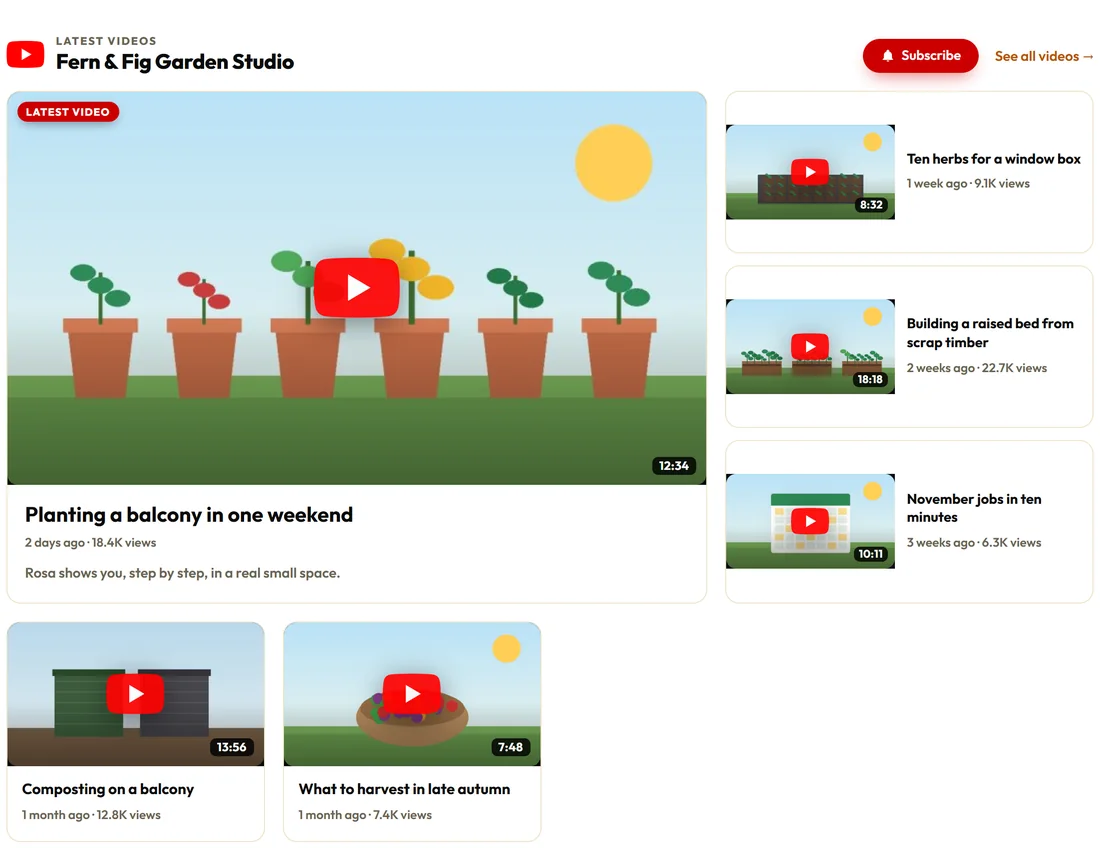
Your latest videos appear as thumbnails and keep themselves up to date. A click plays the video in a lightbox over the page, in place of the thumbnail, or on YouTube in a new window, whichever you choose.
Use it to bring your channel onto your site: a videos page, the newest videos in the footer, or a playlist beside a lesson.
Where to find it:
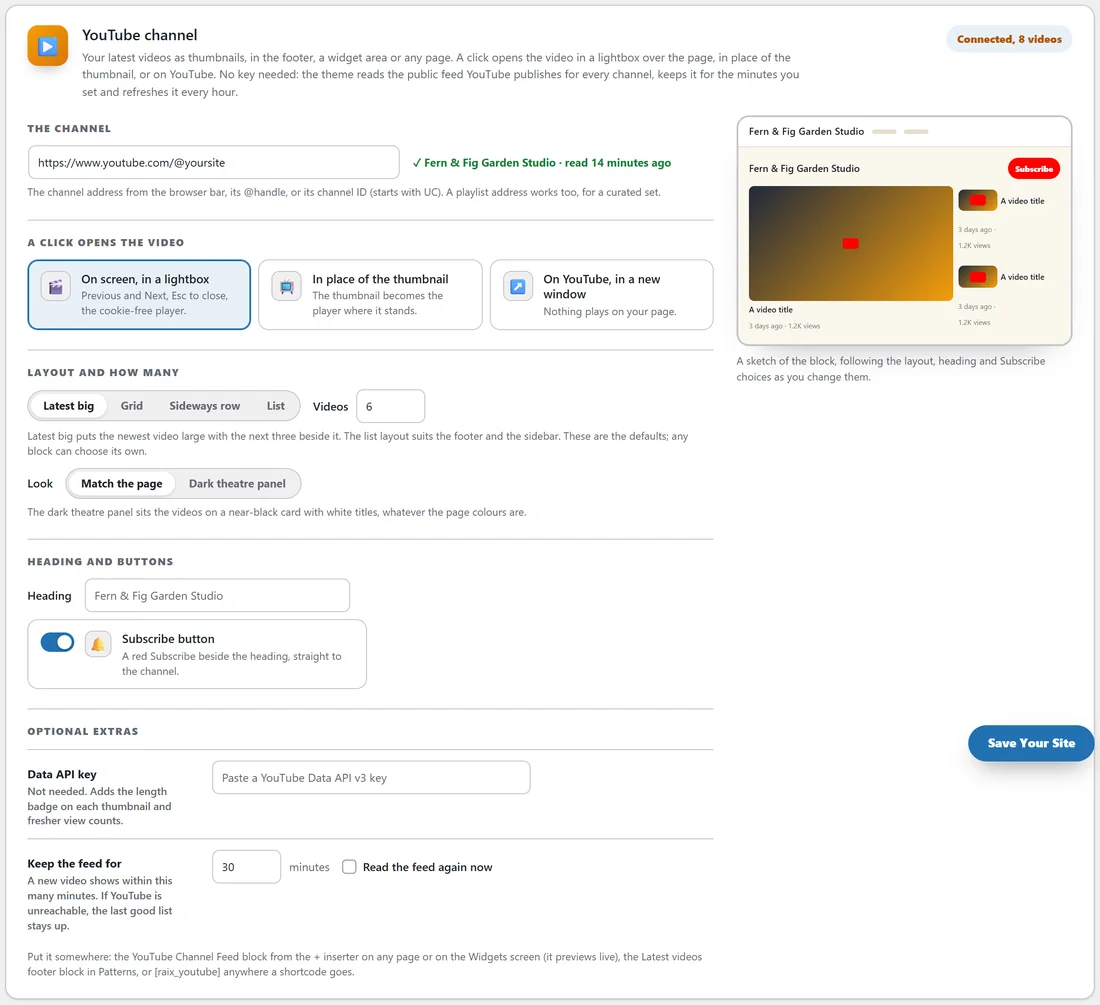
ResultsAiX Theme, Your Site tab, YouTube channel card. Once connected, the label at the top right says Connected and how many videos it read.
Connecting your channel:
- Open the Your Site tab and scroll to YouTube channel.
- Under The channel, paste your channel address from the browser bar, its @handle, or its channel ID (it starts with UC). A playlist address works too, for a hand-picked set.
- Press Save Your Site.
- The card shows a tick with the channel name and when it was read.
If it says That channel could not be found, try the full address from the browser bar, or the channel ID from YouTube Studio, under Settings, Channel, Advanced.
The choices:
- A click opens the video: On screen, in a lightbox (Previous and Next, Esc to close, the cookie-free player), In place of the thumbnail, or On YouTube, in a new window.
- Layout: Latest big (the newest video large with the next three beside it), Grid, Sideways row or List. The list suits the footer and a sidebar.
- Videos: how many to show, from 1 to 24. The default is 6.
- Look: Match the page, or Dark theatre panel, which sits the videos on a near-black card with white titles.
- Heading: blank uses the channel name.
- Subscribe button: a red Subscribe beside the heading, straight to the channel.
These are the defaults. Any single feed you place can choose its own. A sketch at the bottom of the card follows your layout, heading and Subscribe choices.
Putting it on your site:
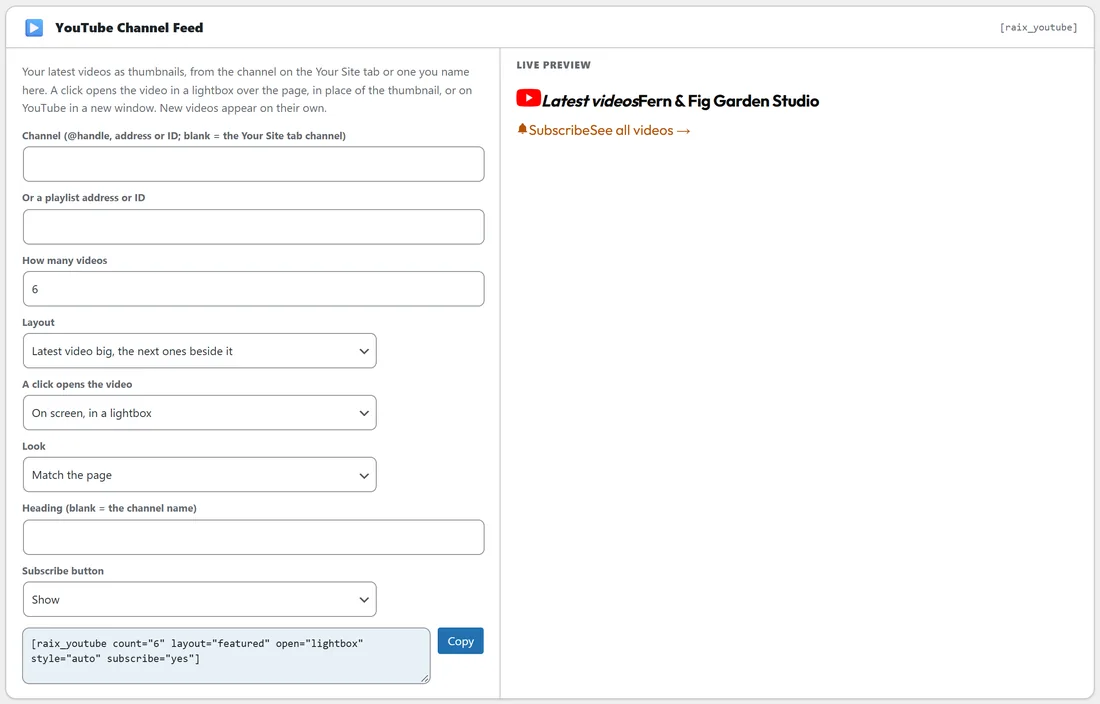
- The YouTube Channel Feed block, from the + inserter on any page or on the Widgets screen. It previews your real videos as you set it up.
- The Latest videos block in the Patterns tab, a ready-made list for the footer.
- The [raix_youtube] shortcode anywhere a shortcode goes. It takes channel, playlist, count, layout, open, style, title and subscribe, for example [raix_youtube layout="grid" count="8"]. The Shortcode Studio builds the line for you.
A videos page, step by step:
- Go to Pages, Add New Page and call it Videos.
- Press + and add the YouTube Channel Feed block, or a Shortcode block with [raix_youtube].
- Choose the layout and how many videos in the block settings.
- Publish, and add the page to your menu.
No key needed:
YouTube publishes a public feed for every channel, and the theme reads it. Under Optional extras:
- Keep the feed for: how many minutes the list is kept before it is read again, from 5 to 1440. The default is 30. A new video shows within this many minutes.
- Read the feed again now: tick it and save to refresh straight away.
- Data API key: not needed. It adds the length badge on each thumbnail and fresher view counts.
If YouTube cannot be reached, the last good list stays up. The theme also refreshes the feed every hour on its own.
With the cookie notice set to hold embeds until marketing consent, visitors see a Load this video card first.
A real example:
Fern & Fig has a Videos page with the Latest big layout, showing six videos with the Subscribe button. The footer's Footer Extra area has the Latest videos pattern with three small thumbnails and a See all videos link. When Rosa uploads a new video on Tuesday morning, it is on her site by the time she has made a coffee.
Tips:
- Use a playlist when you want a hand-picked set for one page, such as the videos that go with one course.
- The List layout is the one that fits narrow spaces like the footer and the sidebar.
- Ready-made footer blocks are covered in Widgets, Shortcodes And The Plugin Family.