Animated Story uses your own AI keys for the pictures and the optional moving clips, so you pay your AI provider directly, with no markup and nothing to buy from us. Here is what each part costs and how to keep it low. The amounts below are the plugin's own estimates; your provider's billing page is the real invoice.
What each part costs:
- Writing the script or conversation: a fraction of a cent on your AI key.
- Voices: free, on your own computer with the Voice Engine.
- Lip sync: free, on your own computer.
- Pictures with ChatGPT (OpenAI): about 5 cents each.
- Pictures with Google Gemini: about 7 cents each on Standard, about 14 cents on Best.
- A character's reference picture (Make their picture): drawn at Best quality, about 14 cents on Gemini.
- Free practice pictures: $0.
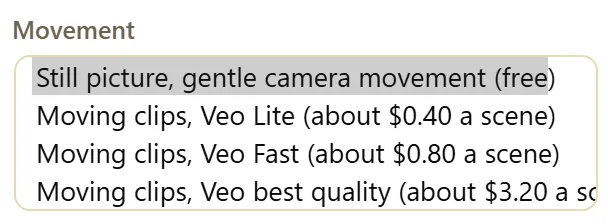
- Moving clips with Google Veo (optional): about 40 cents (Veo Lite), 80 cents (Veo Fast) or $3.20 (Veo best quality) a scene.
A story also needs one picture of the place, the room picture, so every scene happens in the same room.
Where to find the cost settings:
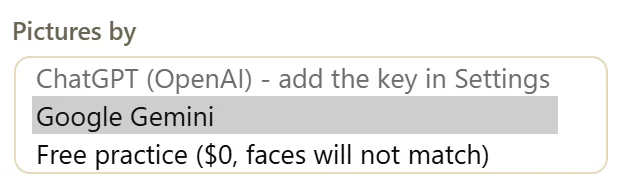
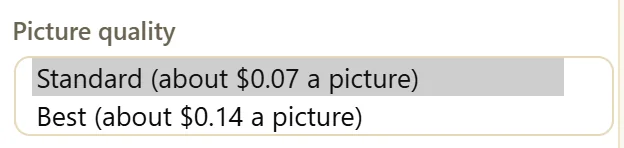
- On the story itself: step 2, What is it about?, holds Pictures by, Picture quality and Movement.
- Under Scenes: the line next to Make everything shows what is still to make and about what it costs, and the line under it shows this month's pictures and spend.
- In Settings, What each AI does: Story pictures and the Animated Story monthly limit.
Test for free first:
- In step 2, set Pictures by to Free practice ($0, faces will not match).
- Set Movement to Still picture, gentle camera movement (free).
- Choose a short Length, then click Write the conversation (or Write the script) and Make everything.
Free practice uses free picture engines that cannot copy a reference picture, so faces will not match your characters and can change from scene to scene. Use it to check the script, the voices and the pacing. When you are happy, switch Pictures by to Google Gemini or ChatGPT and click New picture on each scene, or Make everything. Free practice pictures are never used as a character's reference picture and never count against your limit.
The price is always shown first:
Before any run that costs 25 cents or more, a box shows the price line by line (pictures, the room, moving clips), says that voices and lip sync are free, and shows how much of your monthly limit is left. Nothing starts until you click Make it. Veo best quality has its own box with the full price and a Use Veo Lite button. After a Veo best quality run, Movement goes back to Still picture, so the next run cannot cost $3.20 a scene by accident.
The monthly limit:
Settings, What each AI does, Animated Story monthly limit. It is a hard stop: once this month's story pictures and moving clips reach it, no more are made and nothing is charged. It starts at $10. When the limit is used up, the panel says so before anything starts and offers Make voices and lip sync (free) so you can keep going with the free parts. Raise the limit on the same Settings screen whenever you are ready.
Make everything never pays twice:

Make everything only makes what is still missing. Change one line and only that voice is made again. To redo one picture, use that scene's New picture button.
A real example:
Yoursite Studio's six scene story needs four scene pictures, the room picture and two character pictures. The line next to Make everything reads Still to make: 7 pictures (about $0.63 on your key). The tally under it shows This month: 9 pictures, about $0.63, well inside the $10 limit.
A low cost way to work:
- Write and refine the conversation with Free practice pictures and Still picture.
- Fix the lines, the speakers and the camera shots until the story plays well.
- Switch Pictures by to Google Gemini on Standard and click Make everything.
- Only for the final ad version: Best pictures, and Veo Lite on the key scenes.
Tips:
- A 30 second story has about five scenes. With Still picture movement, it costs well under a dollar on Standard pictures.
- Use Veo Lite for tests: on a phone it looks nearly the same as best quality.
- Picture quality Best is worth it for the final version of a video you will run as an ad.